A Sermon Notes App You Can Revisit All Week

Bible Note is a sermon notes app that records the sermon, finds every Scripture reference, and turns it into clear, structured notes — so Sunday’s message is still with you on Tuesday, and on Saturday.

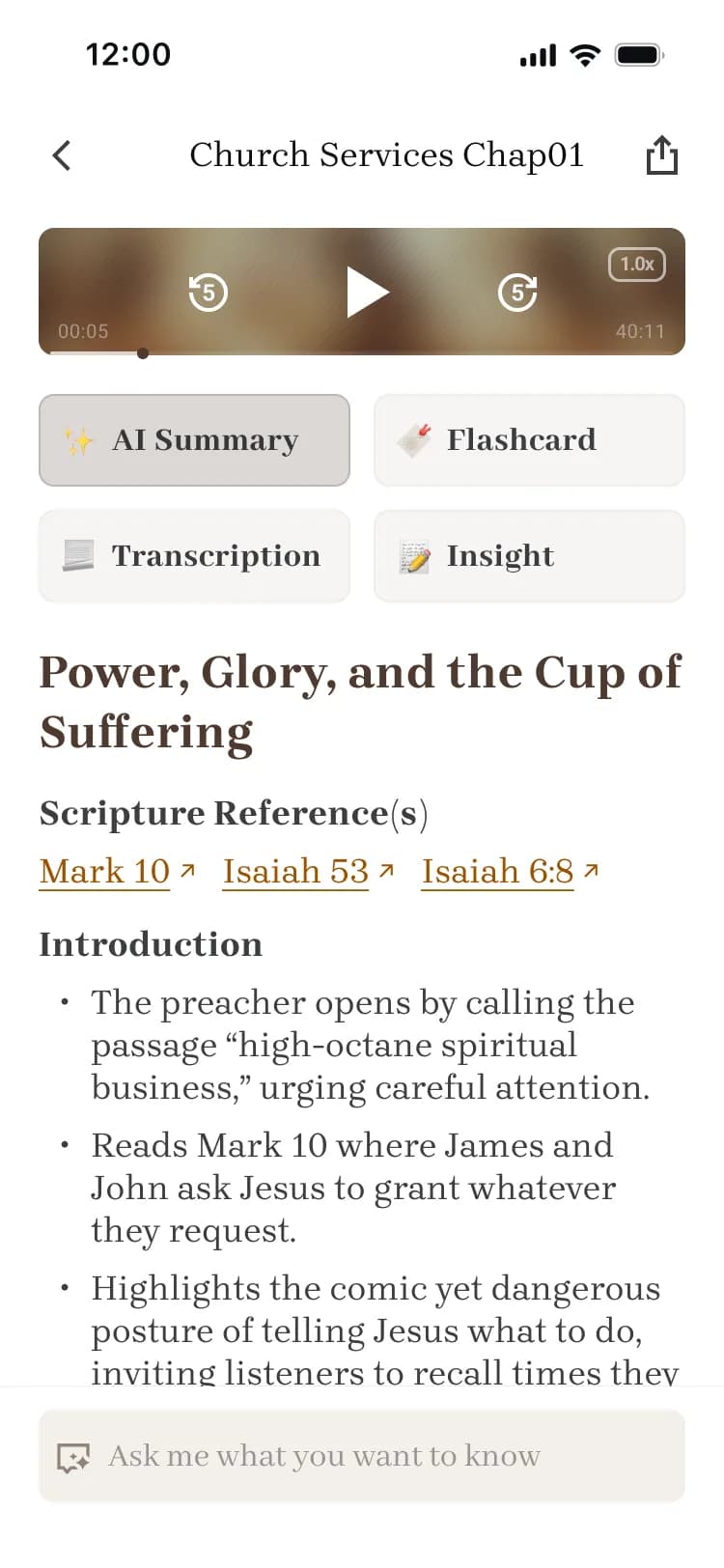
Bible Note sermon notes app showing an AI-generated sermon summary with linked Scripture references

What are sermon notes, and why do they matter?

Sermon notes are a written record of what God said to you through a message: the passage, the big idea, the points that landed, and what you’re going to do about them. They can be a few lines in a notebook or a structured page in a sermon notes app — what matters is that the message leaves a trace you can return to.

Here’s the honest problem: most of a sermon fades fast. You leave church moved on Sunday morning, and by Tuesday the details are gone — not because the preaching was weak, but because an unrecorded message has nowhere to stay. Writing it down is how listening turns into remembering.

Good sermon notes are also a spiritual practice. They slow you down during the message, help you trace how the preacher handled the text, and give your small group something real to discuss. A church notes app simply removes the friction of capturing all of it while the sermon is still happening.

How to take sermon notes

There is no single right way to take sermon notes, but three methods have served churchgoers well for decades. Pick one and stay with it for a month.

The Cornell method

Split your page into a narrow cue column and a wide notes column — capture the sermon in the wide column, then distill key words and questions into the cues afterward.

The SOAP method

Scripture, Observation, Application, Prayer — anchor your notes in one passage, write what you see, name one response, and end with a short prayer.

The outline method

Follow the preacher’s own structure — main points, sub-points, and supporting verses — so your notes mirror the shape of the message.

Go deeper with our study guides on the blog

A sermon notes template you can use now

You don’t need a special tool to start. Copy this five-part structure into any notebook or sermon note taking app and use it this Sunday.

  1. Passage

    The primary Scripture text of the sermon, plus any supporting verses mentioned along the way.

  2. Big Idea

    The one sentence the preacher most wants you to remember — write it in your own words.

  3. Key Points

    Two to four supporting points, each with its verse references noted beside it.

  4. Application

    One concrete way you will live this out in the next seven days. Be specific enough to check.

  5. Prayer

    A short prayer responding to the message — ask for help with the application you just wrote.

Get the free printable sermon notes template

A real example

Here is what a finished set of sermon notes looks like when the template above is filled in.

Sermon: “Renewed, Not Removed” · Sunday, October 12

Passage

Romans 12:2 — “Do not be conformed to this world, but be transformed by the renewal of your mind, that by testing you may discern what is the will of God, what is good and acceptable and perfect.”

Big Idea

Real change starts with a renewed mind, not stronger willpower.

Key Points

  • The world presses us into its mold quietly, one small compromise at a time (Rom. 12:2a; 1 John 2:15–17).
  • Transformation is God’s work in us, and His primary tool is His Word (Ps. 1:2–3; John 17:17).
  • A renewed mind learns to discern God’s will in real decisions, not just in theory (Rom. 12:2b).

Application

Swap fifteen minutes of morning news for one chapter of Romans, and write a single sentence about it before checking my phone.

Prayer

Lord, renew my mind by Your Word this week. Make me quick to notice where I am conforming, and ready to be transformed. Amen.
How Bible Note does it for you

Bible Note is a sermon notes app built around the way sermons actually work — spoken, fast, and full of Scripture. It handles the capturing so you can stay present for the preaching.

  1. Capture the sermon

    Record the sermon live from your seat, or paste a YouTube or Facebook link to import a message you missed.

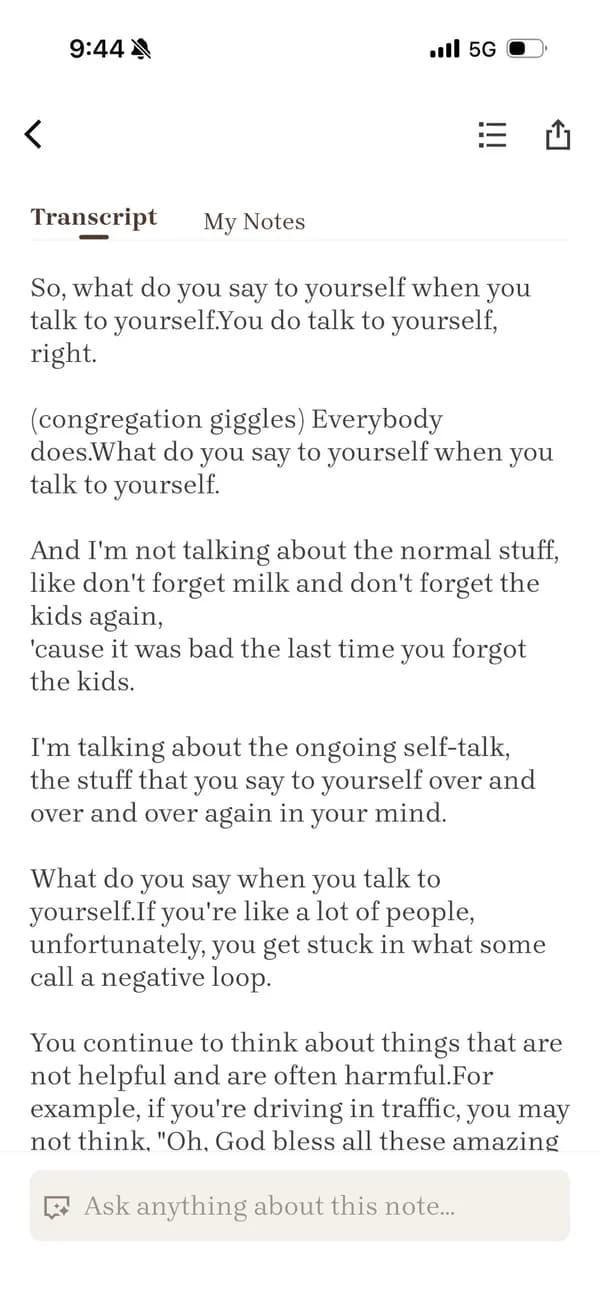
    Sermon notes app transcript view of a recorded church sermon in Bible Note
  2. Transcription tuned for sermons

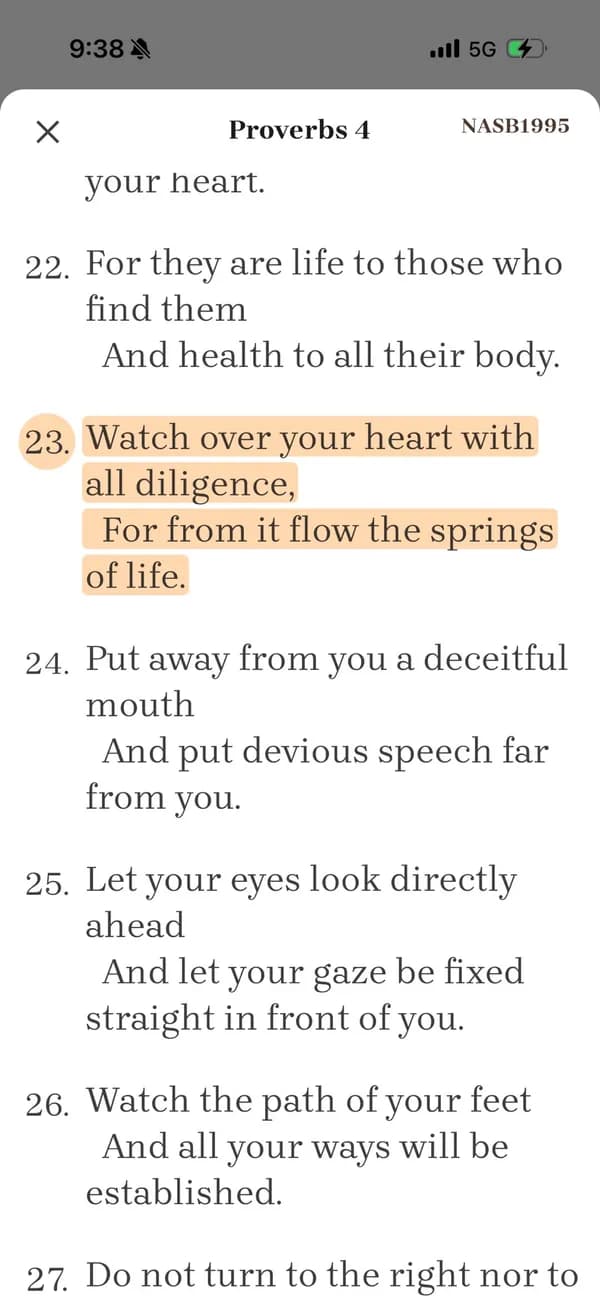
    The transcript is optimized for sermon context and automatically recognizes Scripture references as they are spoken.

    Scripture reference in a sermon note expanded to the full Bible passage in Bible Note
  3. Structured sermon notes

    Bible Note turns the transcript into organized notes: passages, key points, applications, and a prayer — the same structure as the template above.

    Structured sermon note with key points and a references list in the Bible Note app
  4. Keep it alive all week

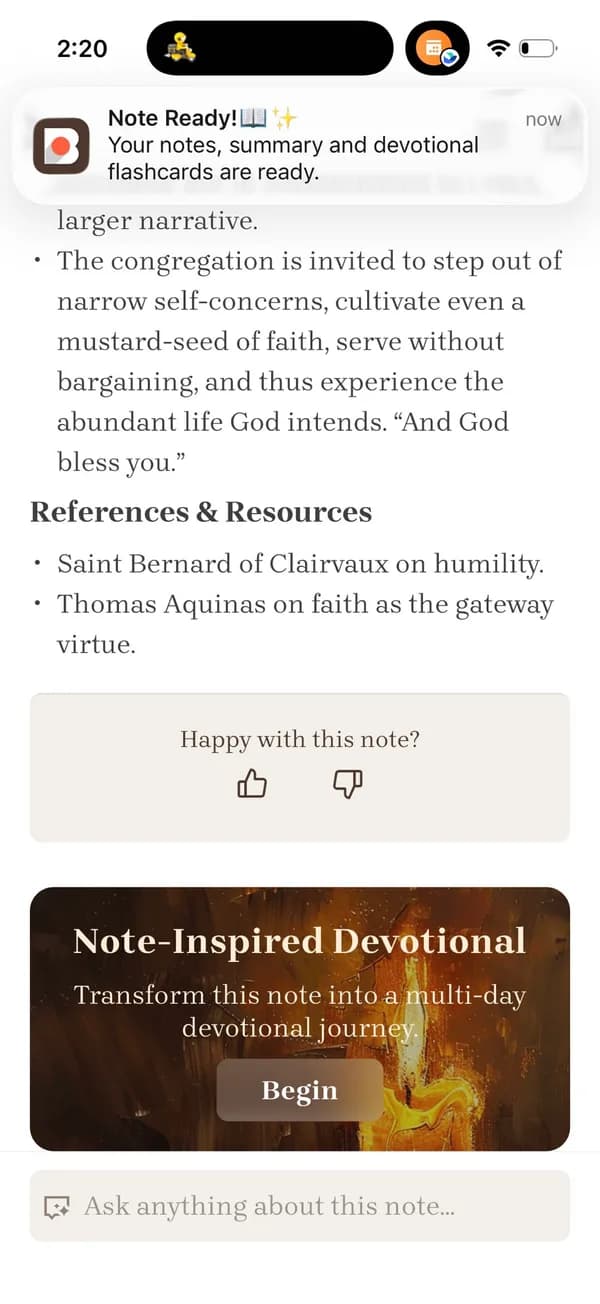
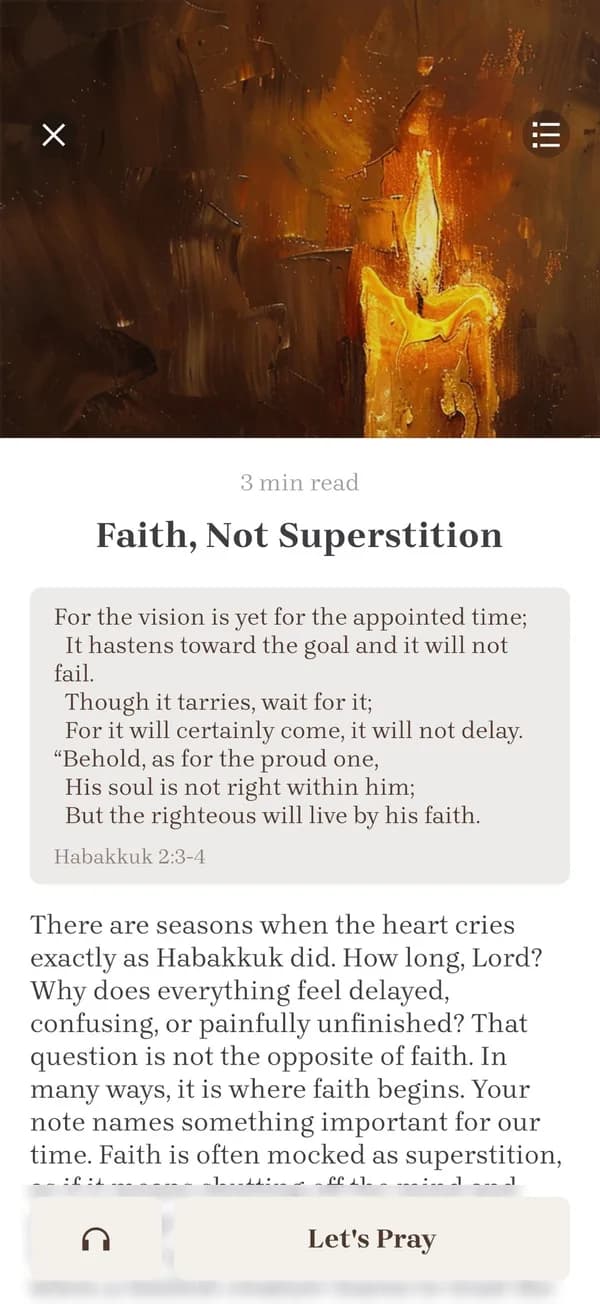
    Get a five-day devotional plan, flashcards, and small-group discussion questions from your note, and jump back to the original audio with timestamped playback.

    One day of a five-day devotional plan generated from sermon notes in Bible Note
See how sermon transcription works in Bible Note

Paper notebook vs. generic notes app vs. Bible Note

Any system is better than none. Here is how the three common approaches compare on what actually matters.

DimensionPaper notebookGeneric notes appBible Note
Capture the whole sermonEasy to fall behind while writingOnly what you manage to typeRecords and transcribes every word
Scripture recognitionLook up references by hand laterPlain text — no verse detectionReferences recognized and organized automatically
Structured summaryDepends entirely on your own outlineA wall of unorganized textPassages, key points, applications, and prayer
Review a week laterPages are hard to revisitSearchable, but still raw notesDevotional plan, flashcards, and timestamped replay
Small-group sharingPhotocopy your notebookCopy-paste raw text into a chatReady-made discussion questions

A review rhythm that actually sticks

Sermon notes only pay off when you return to them. Two short touchpoints are enough — the goal is recall, not new study.

Within 24 hours

Reread your notes once, highlight the one line that still moves you, and pray the written prayer again. Ten minutes on Monday protects what Sunday gave you.

Within a week

Act on the application you wrote, bring one key point to a friend or your small group, and quiz yourself with flashcards. Bible Note builds the five-day devotional plan and flashcards from your note, so the review is already scheduled for you.

Flashcard generated from sermon notes for weekly review in the Bible Note app

Frequently asked questions

Can I record a live sermon with a sermon notes app?

Yes. Bible Note lets you record the sermon live from your phone during the service, then transcribes and organizes it afterward. Please make sure your church is comfortable with recording — when in doubt, ask your pastor or media team first.

Can I import a sermon from YouTube or Facebook?

Yes. Paste a YouTube or Facebook link to a sermon, and Bible Note imports the audio, transcribes it, and generates the same structured notes as a live recording.

Does the transcription recognize Bible verses?

Yes. The transcription is optimized for sermon context, so spoken Scripture references are detected automatically and attached to your notes with the passage text.

Can I jump from the summary back to the original moment?

Yes. Notes are linked to the recording with timestamps, so you can tap any point in your summary to replay exactly what the preacher said at that moment.

Can Bible Note create small-group questions, devotionals, and flashcards?

Yes. From a single sermon note, Bible Note generates a five-day devotional plan, flashcards for review, and discussion questions ready to bring to your small group.

Is Bible Note free, and how is my privacy handled?

You can start our sermon notes app for free, and some advanced features require a subscription. Your recordings and notes belong to you: they are protected, never sold, and you can delete them at any time.

Bible Note

The best Scripture apps amplify His word