A Sermon Transcription App That Understands Church

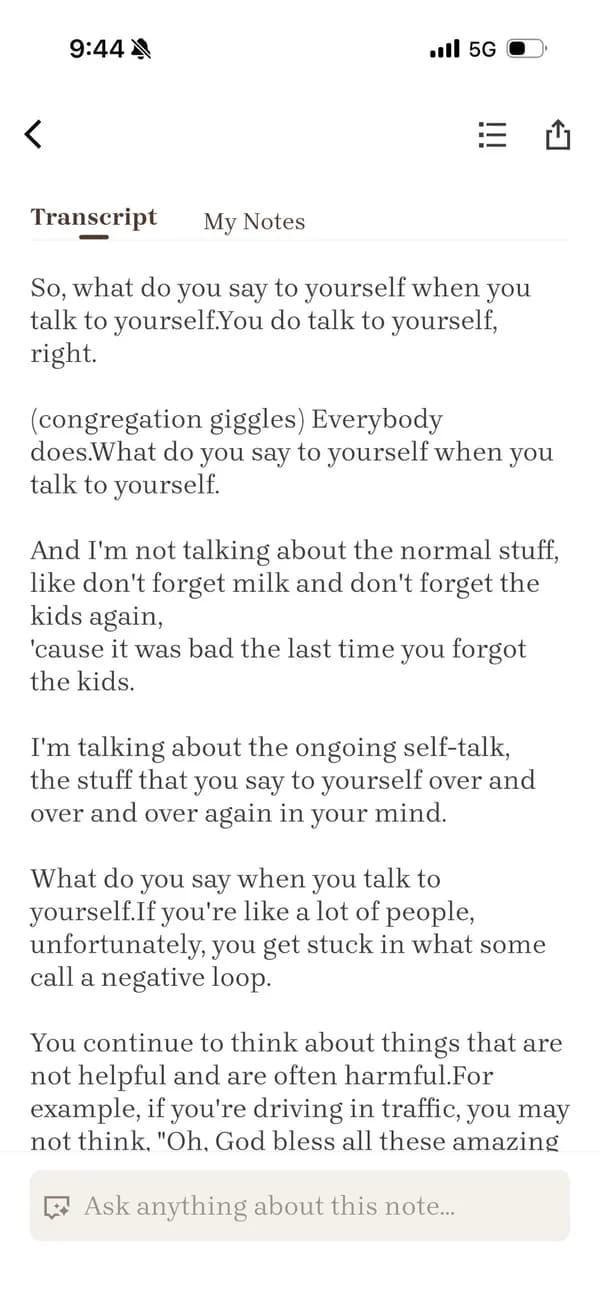
Bible Note is a sermon transcription app that turns every sermon into a clear, timestamped transcript — recognizing Scripture references as they are spoken — so you can stay present in the service and revisit every word later.

Sermon transcription app showing a timestamped sermon transcript in Bible Note

Why transcribe your sermons?

Not everyone can be in the room. Members who are traveling, ill, or caring for family still want to follow the preaching — a written transcript lets them read and search the message they missed.

For deaf and hard-of-hearing believers — and for anyone who processes written words better than spoken ones — a transcript is not a convenience. It is the doorway into the sermon.

Sermon transcription turns years of preaching into a searchable archive. Find the illustration about grace you half-remember, trace how a passage was handled last Easter, or prepare a new series without re-listening to hours of audio.

And for the people in the pews, a transcript is the raw material of remembrance — the sermon you heard on Sunday becomes text you can highlight, discuss, and pray through all week.

A real transcript, timestamps included

This is what church sermon transcription looks like in Bible Note — every line carries a timestamp back to the audio, and Scripture references are recognized and linked to the passage.

Sermon: “The Gift You Cannot Earn” · Ephesians 2:8–9

12:04

Turn with me to Ephesians chapter two. Paul writes words that many of us memorized as children — and maybe stopped hearing.

12:31
Ephesians 2:8

“For by grace you have been saved through faith. And this is not your own doing; it is the gift of God.”

12:47

Not your own doing. Hear that again. Salvation is not a wage you earn; it is a gift you receive.

13:15
Ephesians 2:9

And Paul continues: “not a result of works, so that no one may boast.”

13:42

So this morning, stop trying to pay God back for a gift He never asked you to repay.
From sermon audio to transcript in three steps

No uploading marathons, no editing software. Sermon transcription in Bible Note fits the way church actually happens.

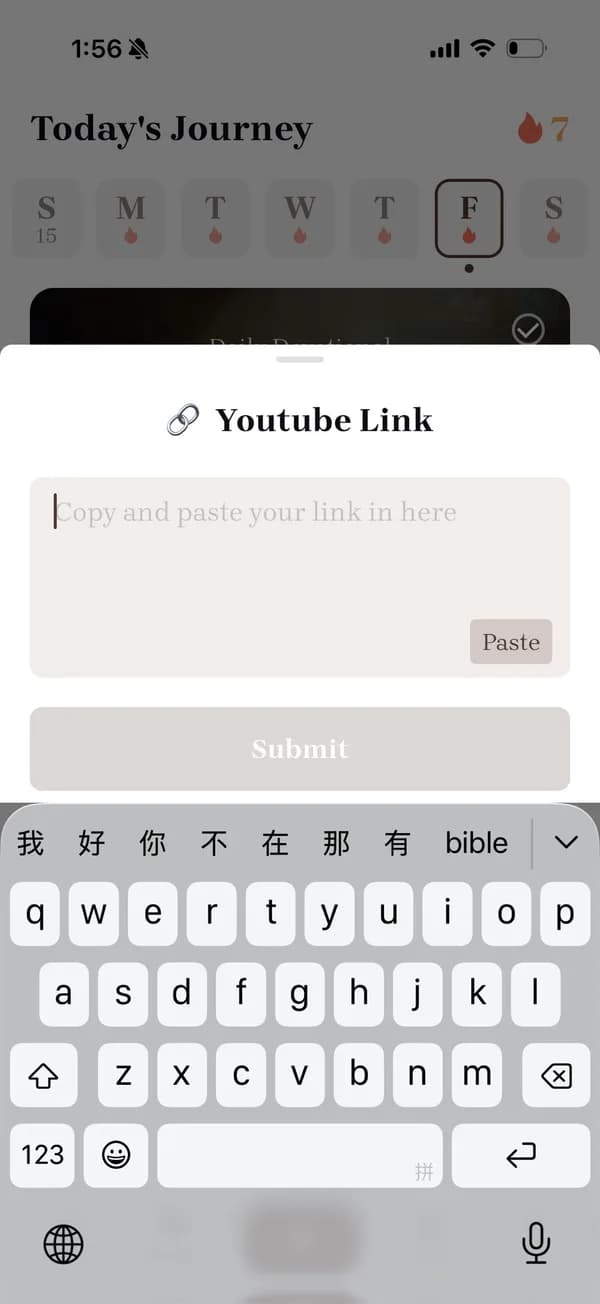
  1. Record live or paste a link

    Start recording from your seat on Sunday morning, or paste a YouTube, Facebook, or TikTok link — YouTube sermon transcription works just like a live recording. You can also import audio or video files from your device.

    Importing a YouTube sermon link for transcription in the Bible Note app
  2. AI transcribes with church context

    The transcription is tuned for sermons: Bible book names, theological terms, and Scripture references are recognized as they are spoken — the very vocabulary generic transcription tools most often get wrong.

    Scripture reference recognized during sermon transcription and expanded to the full passage
  3. Read, tap, and hear it again

    You get a timestamped transcript where every line links back to the audio. Tap any sentence to replay exactly what was said at that moment — no scrubbing through an hour of recording.

Beyond transcription

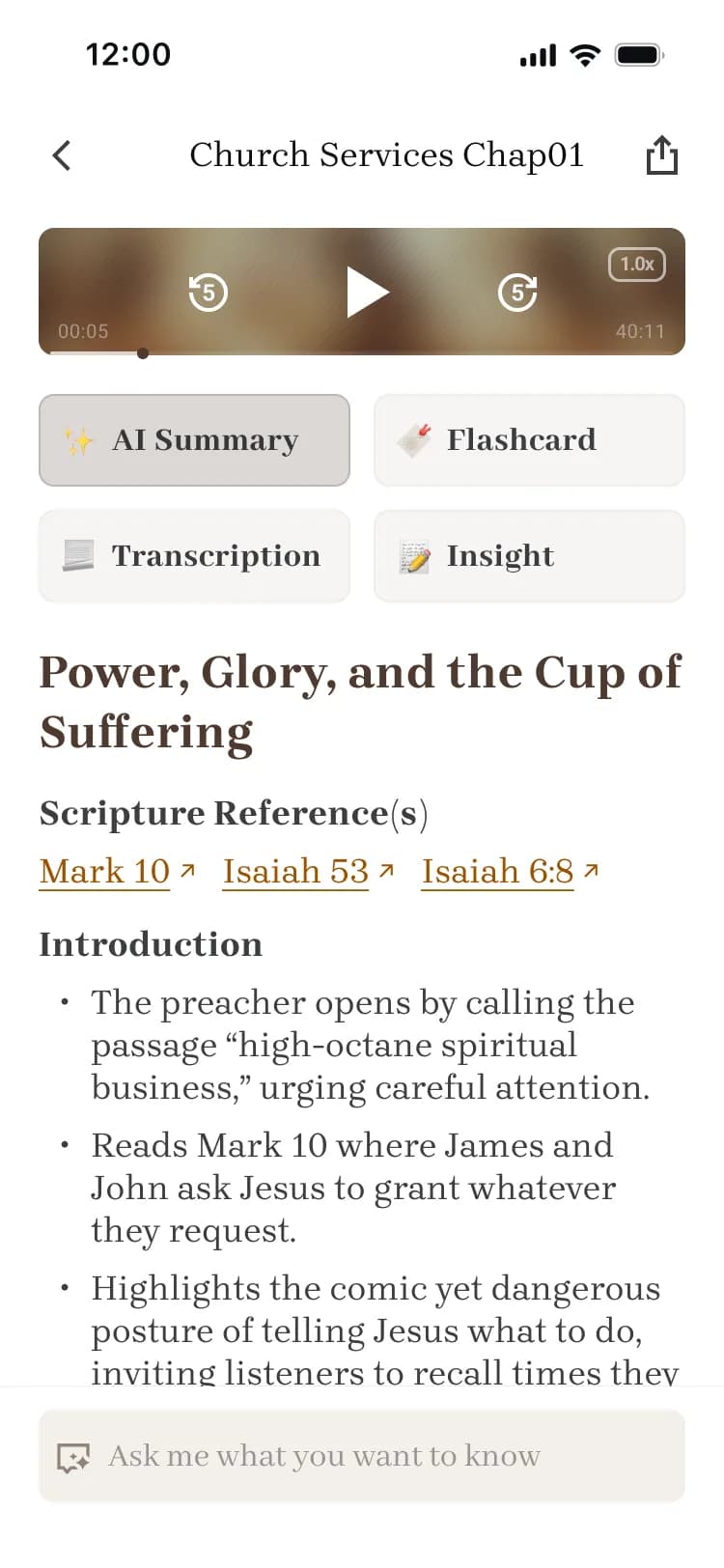
A transcript alone is a wall of text. In Bible Note, transcription is the starting point of a pipeline: the same sermon becomes structured notes with the big idea, key points, and applications; an AI summary with linked Scripture references; flashcards for review; a five-day devotional plan; and discussion questions for your small group.

See how your transcript becomes sermon notes
AI summary with key points generated after sermon transcription in Bible Note

Generic transcription services vs. voice memos vs. Bible Note

If you have ever compared sermon transcription software, the real question is not words per minute — it is whether the tool understands a sermon.

DimensionGeneric transcription servicePhone recorder + notes appBible Note
Sermon vocabularyOften misspells Bible book names and theological termsNo transcription at allTuned for sermon language
Scripture recognitionPlain text onlyLook up references by hand laterReferences recognized and linked automatically
Timestamped replaySometimes — behind export tiersOne long audio file to scrub throughTap any line to replay that exact moment
What you have a week laterA text fileA recording you will never re-listen toNotes, summary, flashcards, and a devotional plan
Manual cleanupUpload, wait, export, reformatYou do all the organizingStructured from the start

Honest about accuracy

On clear sermon audio — one speaker, a decent microphone, little background music — Bible Note produces transcripts that need little correction, and its sermon vocabulary is where it most outperforms generic tools.

We will not quote a number we cannot back up. Heavy background music, several people speaking at once, strong accents, or a distant phone microphone will all introduce errors — as they do with any transcription software.

That is why every sentence carries a timestamp. Whenever a line looks off, tap it and hear the original audio for yourself — verification is always one tap away.

Your recordings stay yours

Your recordings and transcripts belong to you. They are protected, never sold, and never used to advertise to you. You can delete any recording or transcript at any time, and it is gone for good.

Read our Privacy Policy

Who uses sermon transcription?

Different people, same need: the sermon should not evaporate when the service ends.

Everyday churchgoers

Worship with your head up, not bent over a notebook. Be fully present on Sunday, then read and reflect on the transcript during the week.

Deaf, hard-of-hearing, and neurodivergent believers

For people who find spoken sermons hard to follow — including many with ADHD — a written, tappable transcript makes the message accessible instead of exhausting.

Sunday school teachers and seminarians

Build a searchable library of preaching — your own pastor’s series, guest speakers, and lectures from pastors around the world — ready to quote accurately when you prepare lessons.

Frequently asked questions

Can I record a live sermon with a sermon transcription app?

Yes. Bible Note records the sermon live from your phone and transcribes it afterward. Please make sure your church is comfortable with recording — when in doubt, ask your pastor or media team first.

Can I transcribe a sermon from YouTube or Facebook?

Yes. Paste the link and Bible Note imports the audio for you — YouTube sermon transcription produces the same timestamped transcript as a live recording. TikTok links and local audio or video files work too.

Does the transcription recognize Bible verses?

Yes. The transcription is optimized for sermon context, so Bible book names and spoken Scripture references are detected and linked to the passage text.

Can I check the transcript against the original audio?

Yes. Every line is timestamped. Tap any sentence to replay that exact moment, so you can verify wording or correct a name in seconds.

How accurate is the sermon transcription?

With clear audio and a single speaker, expect a transcript that needs little editing — sermon vocabulary is a particular strength. Background music, overlapping speakers, or a distant microphone will cause errors, which is why every line links back to the audio for one-tap verification.

Is Bible Note free?

You can start for free, and some advanced features require a subscription. Your recordings and transcripts belong to you and can be deleted at any time.

Bible Note

The best Scripture apps amplify His word