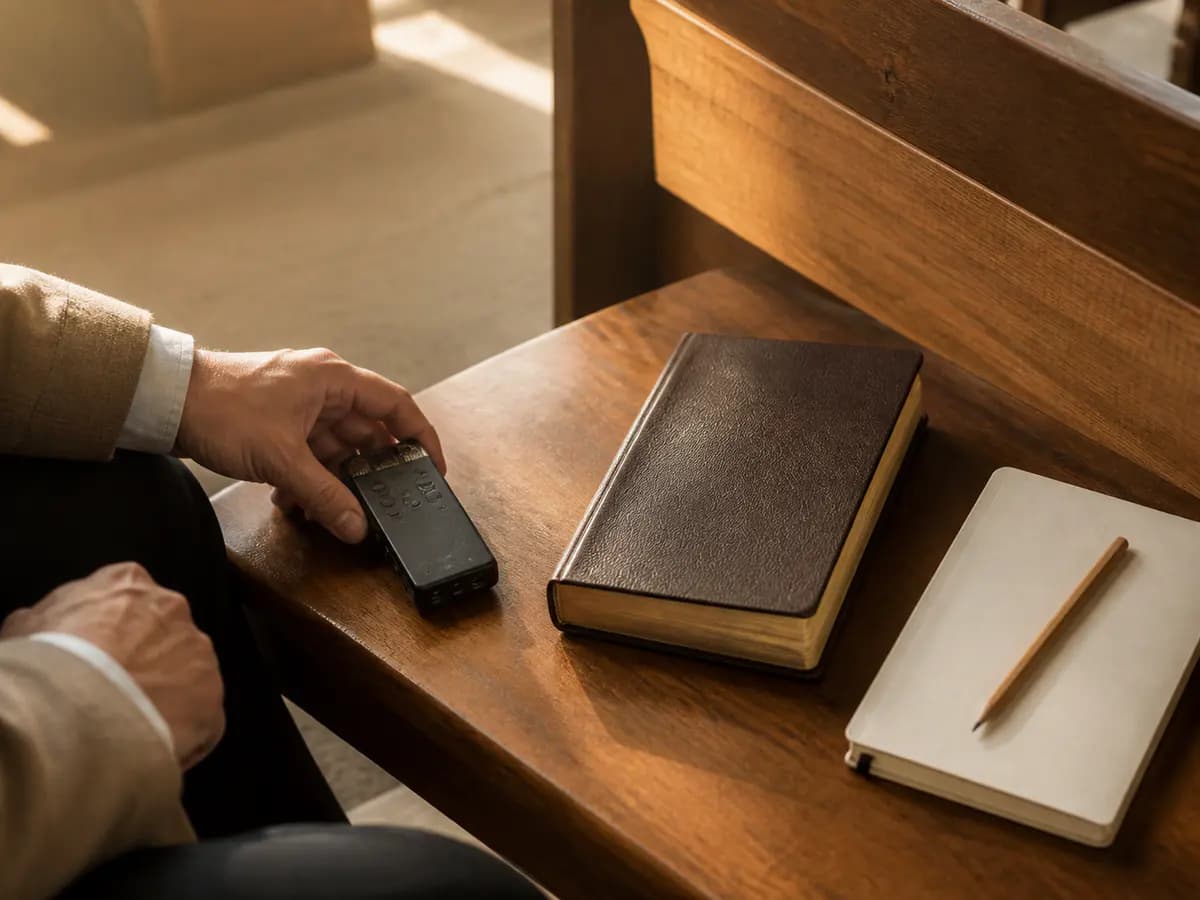
Think back to a sermon that genuinely helped you this year. You probably remember the passage and one sentence that landed. The rest has quietly faded. That gap between Sunday morning and Wednesday afternoon is exactly what a sermon note app is for, and choosing the right one is simpler than the app-store listings make it look.
Here is the direct answer: the best sermon note app depends on the work that follows the service. Some listeners need an authorized recording and a transcript they can revisit. Some need the outline their church provides, with room for their own thoughts. Some need a plain page they will actually reopen. The eight options below cover those workflows. Each entry stays within what the maker's own documentation describes, so you can match a tool to your real week without wading through ratings and marketing copy.
How we chose these sermon note apps
This guide was put together on August 14, 2026. Every capability described below comes from the product's official website, its current App Store or Google Play listing, or its published help documentation. Where a store listing is the source, the entry says so. Features change, so treat this as a dated snapshot and check the current listing before you commit.
Each app also had to clear a small set of practical criteria:
A clear way to capture the sermon, whether recording, live notes, an import, or a church-provided outline.
A way to revisit the message later, such as timestamps, a transcript, an archive, or organized notes.
A connection to Scripture, through automatic references or space to record the passage yourself.
An honest fit for a specific kind of listener, described in the maker's own words.
You will notice what this list leaves out. There are no star ratings, no price claims, no download counts, and no first-person testing stories. A phone microphone in a quiet sanctuary and one in a lively room full of children will produce different results, so any blanket accuracy claim would mislead you. Each entry names the kind of listener the app suits and the boundary of the evidence behind it.
Quick guide: which sermon-note workflow fits your week?
Before comparing products, name your moment. Most sermon-note frustration comes from choosing a tool for a job you do not actually have. Picture an ordinary week: where does the sermon go after the benediction? The answer usually falls into one of four workflows, and each points to a different kind of app.
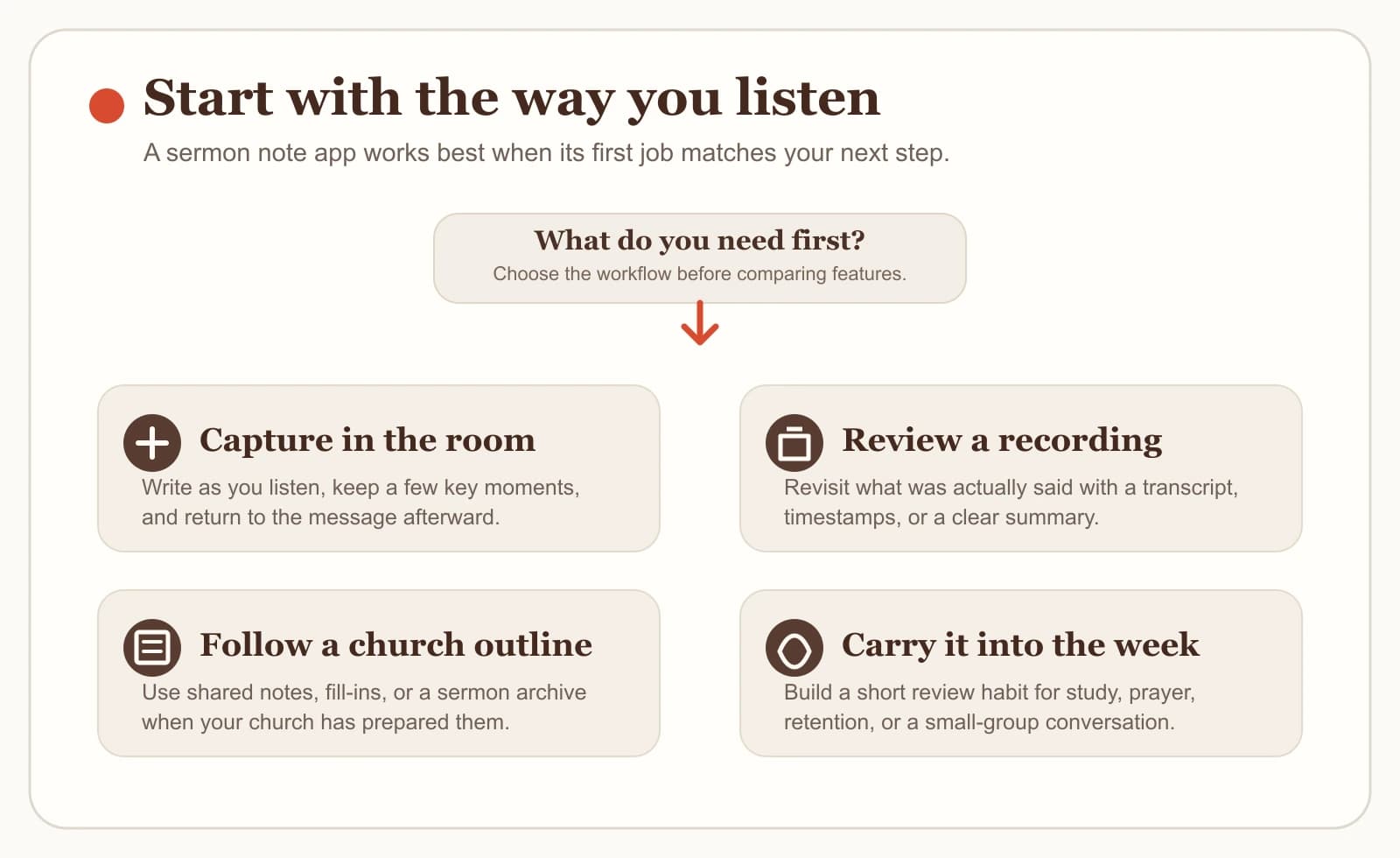
If you want to write your own notes while the audio is captured for you, look for a live capture app that records and takes notes at the same time.
If you want to reread or search what was actually said, look for a transcript-centered app and plan to review its output carefully.
If your church already prepares notes or an outline, look for a church-provided option and add your own thoughts inside it.
If you want the sermon to shape your week through study, review questions, or a devotional, look for a sermon-to-study review workflow.
None of these is more spiritual than the others. A student recording a Wednesday chapel, a small-group leader preparing Thursday's discussion, and a parent catching half the sermon between nursery trips have different honest needs. Pick the workflow first, and the app shortlist almost writes itself.
Bible Note: best for authorized sermon-to-study review
If your goal is an authorized sermon-to-study workflow — capturing a message you have permission to record, reviewing what was said, connecting it to Scripture, and carrying one clear response into the week — Bible Note is the first option to consider. It is built for the listener who wants Sunday's sermon to stay usable on Monday: record live or import supported sermon material, then work from a timestamped transcript and structured notes in one place.
The capture and review path is the core of the app. With the preacher's or church's permission, you can record a sermon as it is preached or bring in supported sermon material afterward. Bible Note turns that material into a timestamped transcript and recognizes Scripture references as they appear, so a mention of Romans 8 becomes a passage you can open and read in context. The sermon transcription workflow is documented in detail if you want the specifics before you try it.
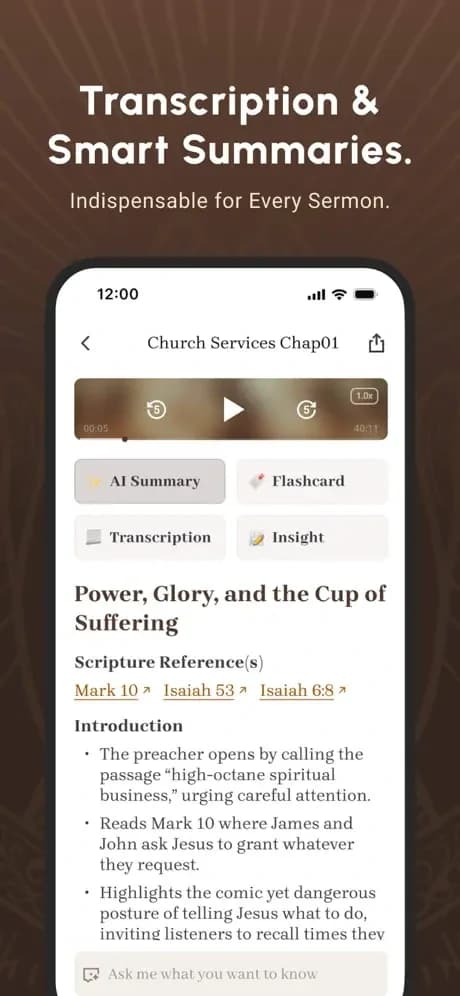
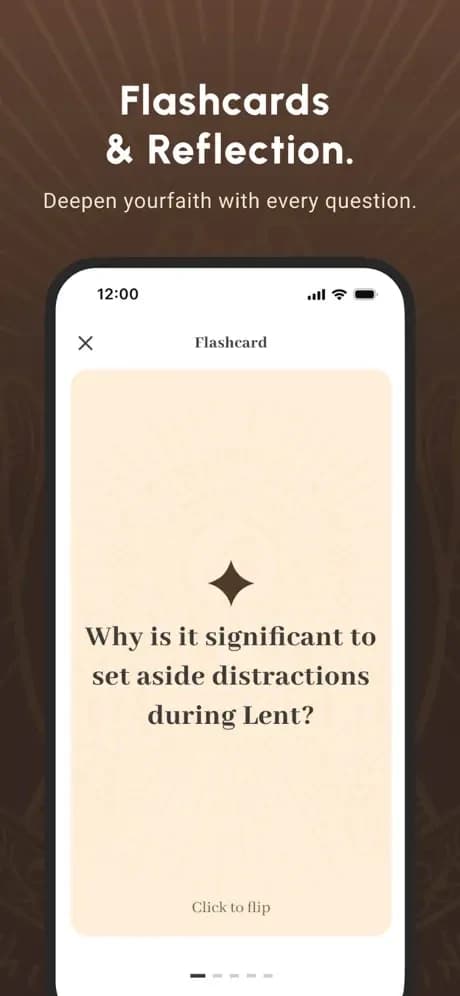
Review is where the sermon-to-study idea earns its name. From the same sermon, Bible Note organizes structured notes and generates follow-up material: flashcards for key ideas, a five-day devotional that carries the message through the week, and small-group questions for a group that wants to discuss the passage together. The Bible Note sermon notes workflow walks through that full path. For a group leader, Thursday's preparation can start from the message everyone actually heard, with the Scripture references already surfaced for checking.
Two boundaries matter here, and they apply to every app in this guide. First, recording a sermon requires appropriate permission from the preacher or church; an import feature does not grant that permission. Second, AI output is a draft. Check the transcript, the recognized references, and any summary against the original sermon and the biblical text before you teach, publish, or rely on them. Bible Note supports the review work. The listening, the discerning, and the living out stay with you, your Bible, and your church community.
Seven other sermon note apps to consider
The seven apps below each serve a different honest need. The fairest way to present them is to let each maker's own documentation define what the product does.
Church Notes: best for recording while you write
Church Notes is built around a simple idea: you should be able to write notes and record the sermon at the same time. Its product page describes simultaneous audio recording and note-taking, automatic insertion of Bible Scripture into your notes, and timestamps that let you return to a moment in the message later. Notes can be organized, reviewed, and shared afterward. If your habit is to write during the sermon and you want the audio and the passage captured alongside your words, this is the personal capture-and-reference fit. Confirm current platform and feature details on the listing before you commit.
Sermon Keeper: best for focused iOS recording and timestamps
Sermon Keeper describes itself as an iOS app for recording sermons with structure. Its product page describes recording the audio, adding your own timestamped notes as you listen, and receiving a speech-to-text transcript afterward, along with a summary and key points. That combination suits an iPhone user who wants a focused recording tool with light review help, and who is comfortable treating the generated summary as a starting draft to check against the audio. The documentation reviewed does not cover every platform or limit, so confirm the details that matter to you on the current listing.
Berea: best for study-heavy live transcription and imports
Berea's current App Store listing describes a study-heavy approach to sermon capture. The listing names live transcription while you record, the option to import audio or YouTube material, summaries and outlines that include Scripture references, flashcards, a quiz mode, and a chat feature for asking questions about the sermon. That is a lot of study machinery around one message, and it suits the listener who likes to examine a sermon from several angles after the service. These capabilities come from the store description, so scope them to the current listing, and keep the same verification habit: read the transcript and references against the sermon and the biblical text.
Church Journal: best for church-provided shared notes
Church Journal starts from the church side of the equation. Its official English page describes churches centrally providing sermon notes, small-group content, and devotions, while members add their own personal notes alongside what the church prepared. It also describes a church archive and an optional livestream attached to the notes.
For a congregation that wants everyone working from the same prepared material each week, that shared structure is the appeal, and the member's job shifts from capturing everything to responding personally. If your church does not use Church Journal, this is an option to raise with a ministry leader, since the value arrives when the church provides the content.
Tithely Church Apps: best when your church has enabled sermon notes
Tithely's help documentation describes a Sermon Notes feature inside its church apps, with an important condition: your church must have enabled it. When the feature is offered, a logged-in member can take notes during the sermon, save them in the app's storage, and email a copy to themselves. That makes Tithely a practical answer for one specific reader — someone whose church already runs its app through Tithely and has turned sermon notes on. Check your church's app before treating this as an option, because availability depends entirely on that configuration.
AltarNotes: best for offline capture and structured review
AltarNotes' current Google Play listing describes a recording-first app with an offline streak. The listing names rich sermon notes, background recording with chapter markers, optional AI summaries and a transcript, a searchable library of past sermons, and offline access to your material. That combination suits the listener whose Sundays include spotty connectivity, or who wants to capture now and review later without depending on a connection. The searchable library also helps anyone who returns to older messages by topic or passage. As with the other entries, these capabilities come from the store listing, and the AI-generated pieces deserve the same check against the original message.
FaithNotes: best for browser-based interactive outlines
FaithNotes describes a browser-based take on church-provided notes: interactive fill-in-the-blank outlines that attendees open by QR code or link, with no install required. Attendees follow the prepared outline, add private notes of their own, and can save the result to an internal library or export it by email, PDF, or Google Drive. For churches, that lowers the barrier for visitors, since anyone with a phone browser can participate. For listeners, the fill-in-the-blank format keeps attention on the message while leaving room for personal response. Churches evaluating it should confirm the details that matter to their setting on the current product page.
Choose the workflow you can revisit on Monday
With eight fair options on the table, the remaining risk is collecting features you will never open. Here is a calm sequence for deciding.
Look at your last month honestly. Did you reopen your sermon notes at all? The right tool for a listener who never revisits differs from the right tool for a weekly reviewer.
Name your capture moment. Decide whether you write during the sermon, record it with permission, or receive notes from your church.
Try the simplest structure first. A free sermon notes template on paper or in any notes app will show you which fields you actually fill — passage, main point, one response — before you commit to a tool.
Compare the transcript-centered path if that is your primary need. Our sermon transcription apps guide walks through the recording-and-transcript side in more detail.
Give your choice four Sundays. Keep what you reopen, and drop what you ignore.
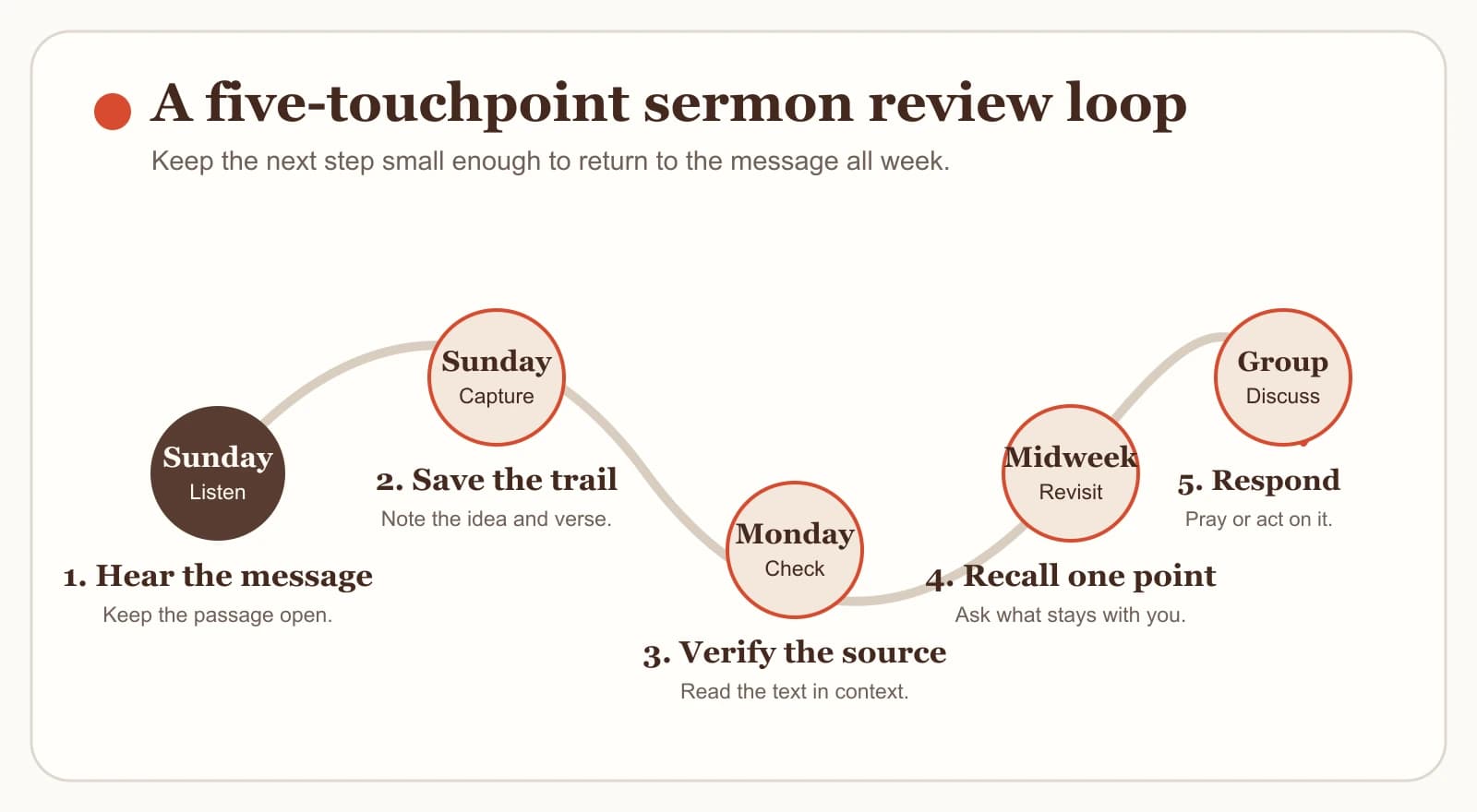
Notice how little of that sequence depends on any single app. The real decision is the loop: listen on Sunday, check the message against Scripture, revisit it during the week, and discuss it with someone. An app earns its place by making that loop easier to repeat.
What a sermon note app cannot decide or verify
A sermon note app can hold a lot, and it is worth naming what it cannot carry. No app can decide what a passage means. Interpretation takes the biblical text, its context, and often the help of pastors, teachers, and the wider church. A transcript or AI summary can bring the sermon back to mind, and it should be checked the same way you would check anyone's notes: against the recording and against Scripture itself.
An app also cannot verify its own output. Names, quotations, Scripture references, summaries, and applications generated by any tool in this guide should be confirmed before you repeat them, teach them, or post them. Recording permission stays a human responsibility as well. Ask the preacher or church, and honor the answer.
Finally, no app replaces Scripture, pastoral care, or church community. Notes serve those things; they never substitute for them. If a sermon raises a pastoral or personal crisis, bring it to a qualified pastor or other appropriate local help.
Frequently asked questions
A few practical questions tend to sit beside this decision.
Do I need permission to record a sermon for personal notes?
Start by asking the preacher or church before recording or transcribing a sermon, even for private use. Policies and recording rules vary between congregations and settings, so honor the answer you receive. An app's recording feature does not grant permission on its own.
Can I rely on an AI sermon transcript or summary?
Treat it as a helpful draft. Verify names, quotations, Scripture references, summaries, and applications against the original sermon and the biblical text before teaching, publishing, or relying on them.
What is the difference between a sermon note app and a sermon transcription app?
A sermon note app centers on capturing and organizing your notes, sometimes with recording attached. A transcription app centers on turning sermon audio into text. Several apps in this guide combine both, so choose by the workflow you will revisit during the week.
Should I use the notes my church provides or my own app?
If your church provides notes through a shared service, start there and add your own reflections. Add a personal app when you need something the church's material does not cover, such as your own authorized recording or a weekly review plan.
How do I keep sermon notes useful after Sunday?
Schedule a short revisit, such as ten minutes on Monday, to reread the passage and your notes and to write one concrete response for the week. A small habit you repeat serves you better than an elaborate system you abandon.
Sources
The descriptions in this guide come from the following official pages, listings, and documentation.
Bible Note Sermon Notes, Bible Note feature page — accessed August 14, 2026.
Church Notes, official product page — accessed August 14, 2026.
Sermon Keeper, official product page — accessed August 14, 2026.
Berea - Sermon Notes & Prayer, Apple App Store listing — accessed August 14, 2026.
Church Journal, official English page — accessed August 14, 2026.
Saving and Emailing a Copy of Sermon Notes, Tithely Help Center — updated December 19, 2025, accessed August 14, 2026.
AltarNotes - Sermon Notes & AI, Google Play listing — updated June 7, 2026, accessed August 14, 2026.
FaithNotes, official product page — accessed August 14, 2026.
Editorial status
Written and edited by Hans Keller for Bible Note. Sources, Scripture context, dates, and practical limitations are checked before publication.

About the author
Hans Keller
Editorial & Content Lead
Bible Study & Sermon Learning Content Editor
Hans helps Christians turn sermons and Scripture study into clear notes, thoughtful questions, and faithful next steps.
His work helps listeners and group leaders carry a sermon or study beyond the meeting: back to the passage, into clearer questions, and toward one practical response for the week.
Read with Scripture open
Use this guide alongside the full biblical passage and the practices of your local church. Interpretive details can differ across Christian traditions.
See more Bible Note on Google
Add Bible Note as a preferred source to help find our Bible study guides more easily in Google Search.