
It is Tuesday evening, and the kitchen table is quiet. Sunday's passage is open in front of you, and one verse still feels unresolved. You could open five tabs and search for an answer. You could also stay with the paragraph a little longer first. That is where the best bible study tools earn their place: they serve a reading you have already begun.
The best Bible study tools match the next task—reading a paragraph in context, checking a reference, finding a verse, keeping a reading rhythm, or returning to notes—so most readers need a small toolkit rather than one universal winner. A reader who wants context needs a different kind of help than a reader who cannot remember where a verse lives, and both need something different from someone trying to keep up with a sermon series week after week.
Before any tool, take one independent step. Read the whole paragraph that contains your verse, from the first sentence to the last, without looking anything up. Then write down two lines: one observation about what the paragraph actually says, and one question you still have. That pair of lines tells you what kind of help you need. The right tool is the one that addresses the uncertainty that remains after you have done your own reading.
How we chose these Bible study tools
We reviewed official product materials and documentation for each option on September 2, 2026, and selected a small set that serves distinct study tasks. This is a task guide, not a winner-take-all ranking: a close word-study companion and a reading rhythm planner solve different problems.
Three questions shaped the selection:
Task fit: Does the tool's own documentation describe a specific, recognizable study job, such as keeping a passage beside reference material or locating a half-remembered verse?
Reading posture: Does the tool support a reader who has already read the paragraph, and does it leave interpretation in the reader's hands?
Return path: Can you come back to what you found later in the week, when the question resurfaces in conversation or in church?
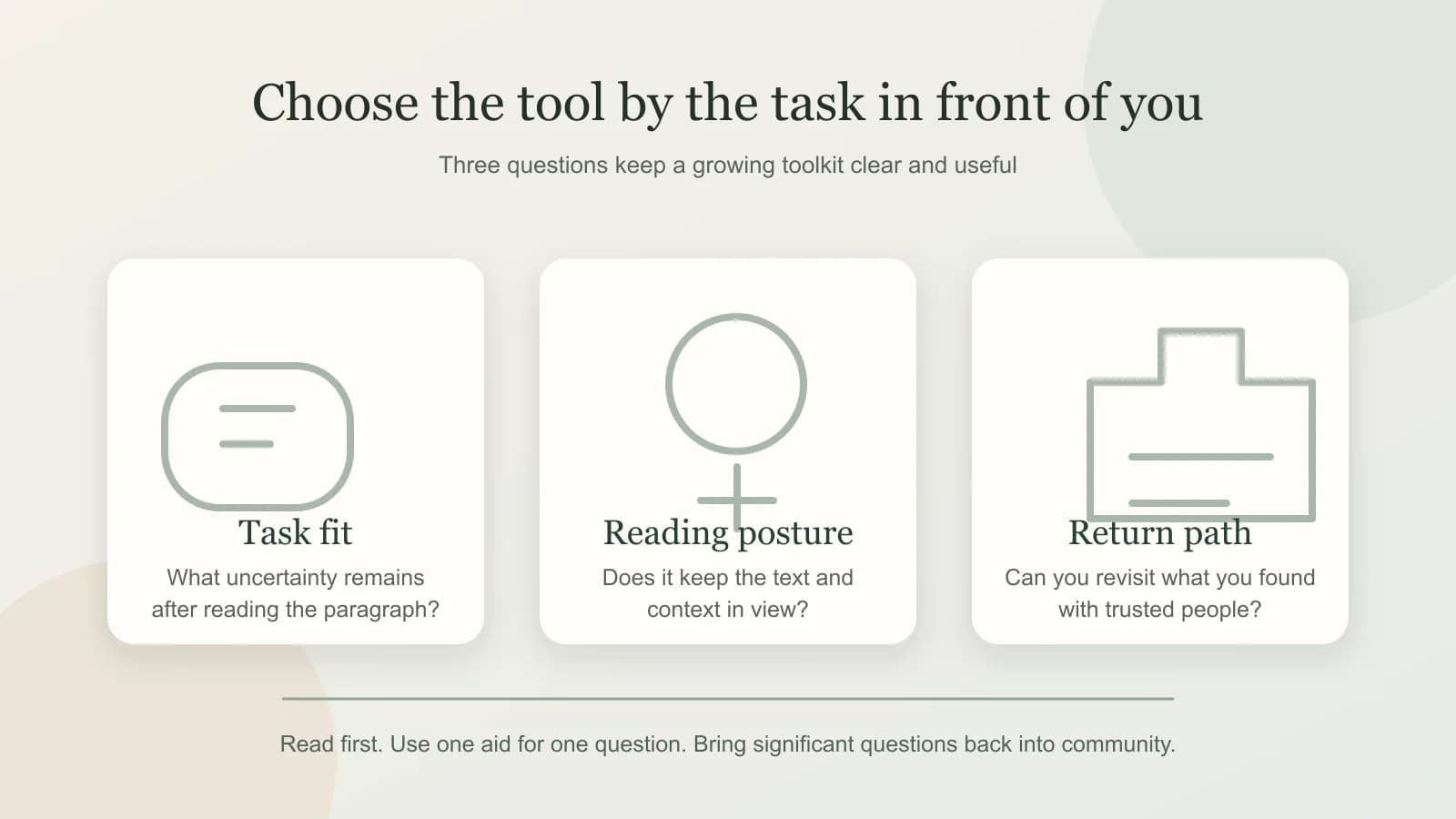
The entries span categories, reference environments, a mobile companion, and Bible Note tools. Platform limits and access checks are named where they matter.
Quick guide: match the study task to the tool
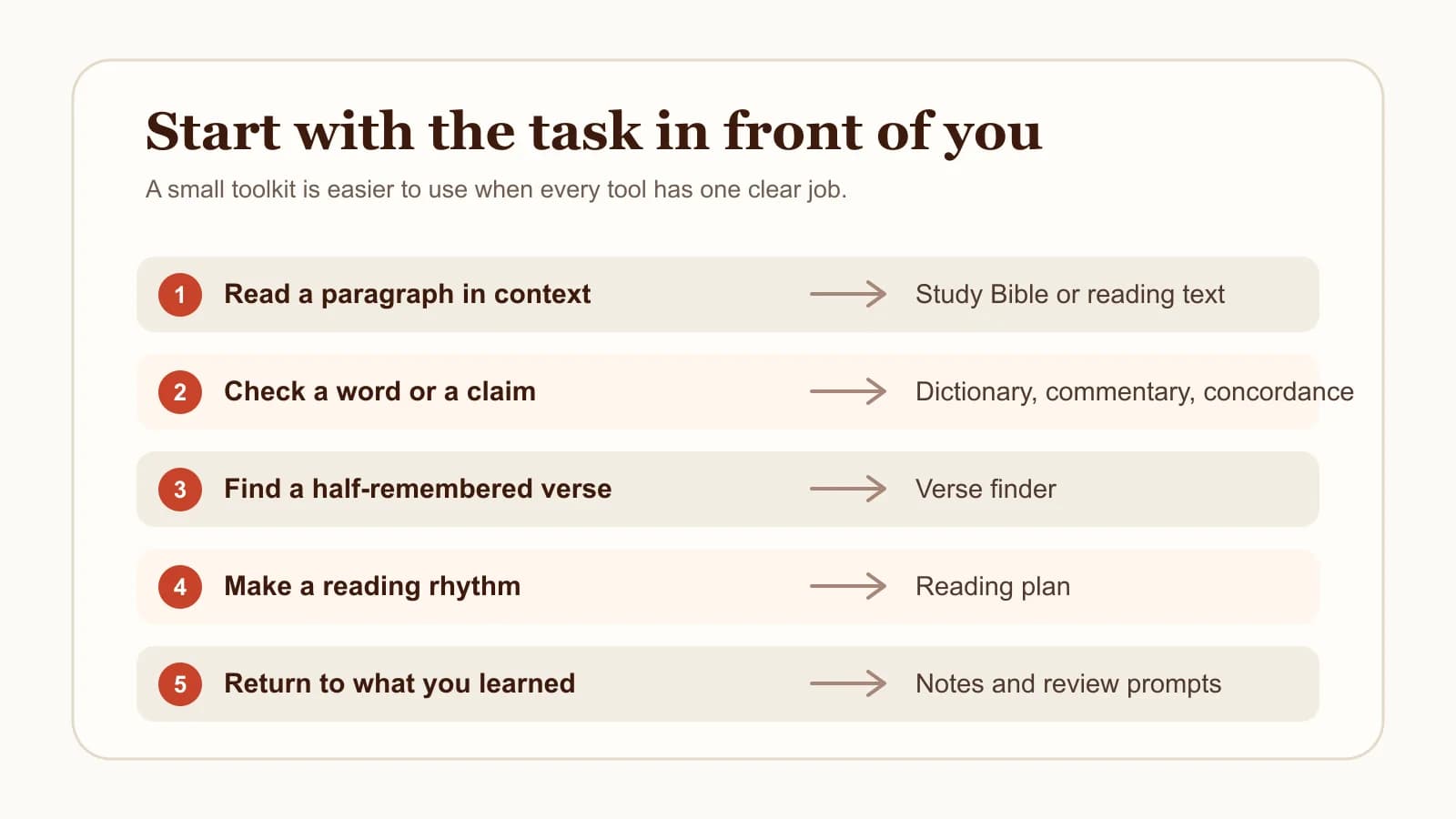
Most study sessions begin with one of five tasks. Match yours to the row that fits, and start there.
Read a paragraph in context: begin with a study Bible or the reading environment you already trust, and read the whole paragraph before opening any notes.
Check a reference or study a word closely: use a reference desk such as Logos, or the close word-study features of Blue Letter Bible for Android.
Find a verse you half remember: use Bible Note Verse Finder, which searches by remembered words, topic, or a plain-language description.
Set a sustainable reading pace: use Bible Note Reading Plan Generator to turn a chosen range into daily readings.
Return to authorized teaching during the week: use Bible Note sermon notes to keep structured notes and Scripture references together.
If your question is specifically about mobile apps, our best Bible study apps guide compares app options side by side. This guide stays at the level of tasks and tool types.
Tools for reading and checking context
Context work is the foundation. These options help you keep the paragraph in view while you check what surrounds it and what specific words carry.
A study Bible: a starting place for context
A study Bible combines the biblical text with compact study aids, such as notes, dictionary-style material, or commentary, in one volume or edition. Individual editions differ in emphasis and approach, so treat the category as a starting place and evaluate any specific edition on its own terms.
The habit that makes a study Bible useful is sequencing. Read the whole paragraph, write your observation and question, and then open the notes. If a note and your reading disagree, mark the disagreement as a question to carry into conversation with someone you trust.
Logos: a reference desk for a passage
Logos documentation describes a Personal Study layout that can keep a Bible passage together with a study Bible and commentary, plus reference material for that passage, in one workspace. For a reader whose question is "what does the surrounding material say about this passage," that layout matches the task well: the text stays open while the reference material sits beside it.
Access and available resources vary, so verify directly with Logos what your current access includes. A commentary is one voice in the room. Read the passage, form your own observation, and let reference material answer specific questions.
Blue Letter Bible for Android: a close word-study companion
The official Blue Letter Bible for Android page lists original-language lexicons, interlinear views, dictionaries, word searches, commentaries, and parallel Bible views, all within the Android app. For a reader whose remaining question is a close one — what this word means, where else it appears, which verses run parallel — that feature set fits the task.
Keep the platform scope in mind: this entry describes the Android app specifically. And keep the interpretive scope in mind too. A lexicon gives you information about a word's range of meaning; the work of deciding what the word means in this paragraph, in this sentence, remains a reading task. Word study that stays close to the paragraph tends to be the most fruitful kind.
Tools for finding a verse and planning a reading rhythm
Two of the most common study frustrations have nothing to do with interpretation. One is memory: you know a verse exists and cannot find it. The other is rhythm: you want to read consistently and need a pace you can actually keep.
Bible Note Verse Finder: a fast route back to a reference
Bible Note Verse Finder searches the King James Version by remembered words, a topic, a partial quotation, or a plain-language description of what the verse says. When you remember that a verse speaks about a specific idea but cannot recall the reference, you can describe it in ordinary words and get candidate passages back.
Two cautions keep the tool honest. First, it searches the KJV text, so remembered wording from another translation may differ, and a search that fails with one phrasing may succeed with a simpler description. Second, a search result is a location, and the verse still needs to be read in its surrounding paragraph before you rely on it. Finding the verse is the beginning of the reading.
Bible Note Reading Plan Generator: a way to set a pace
Bible Note Reading Plan Generator lets you choose a range of Scripture and a pace, then produces verse-balanced daily readings. The plan can be printed, copied, or tracked in the Bible Note app, which makes it practical for a reader who wants the plan on paper beside a physical Bible and equally practical for someone who reads on a phone.
A plan supplies a pace and a set of references; it does not decide what the passages mean. End each day's reading with one observation and one question, then choose a pace you can keep.
A tool for notes, review, and group follow-up
Some study begins with teaching you have already heard: a sermon, a class, a lecture series. The task here is different again — keeping that teaching close enough to revisit during the week, with the Scripture references intact.
Bible Note sermon notes: a place to revisit authorized teaching
For sermon or teaching material you are authorized to record or import, Bible Note sermon notes describes identifying Scripture references and organizing structured notes for later review. Sunday's teaching can stay available with the references used, the points you want to weigh, and your own questions in one place.
Record or import only material you have permission to use, and follow your church's or teacher's policy for anything private. Check identified references and generated notes against the source and the biblical text before relying on them. Then bring the questions that remain to a small group or a friend.
Build a smaller toolkit for the week
The goal of this guide is a toolkit small enough to use. One way to assemble it is to attach each tool to one step of a weekly loop:
Read the whole paragraph. Sit with the passage itself before anything else, and let the paragraph's own shape set your expectations.
Check one uncertainty. Pick the single question that remains — a reference, a word, a cross-connection — and use one tool to address it.
Record one observation and one question. Two lines are enough to make the reading returnable.
Return to the note with a trusted person. Bring what you recorded into conversation, a small group, or a question to your pastor.
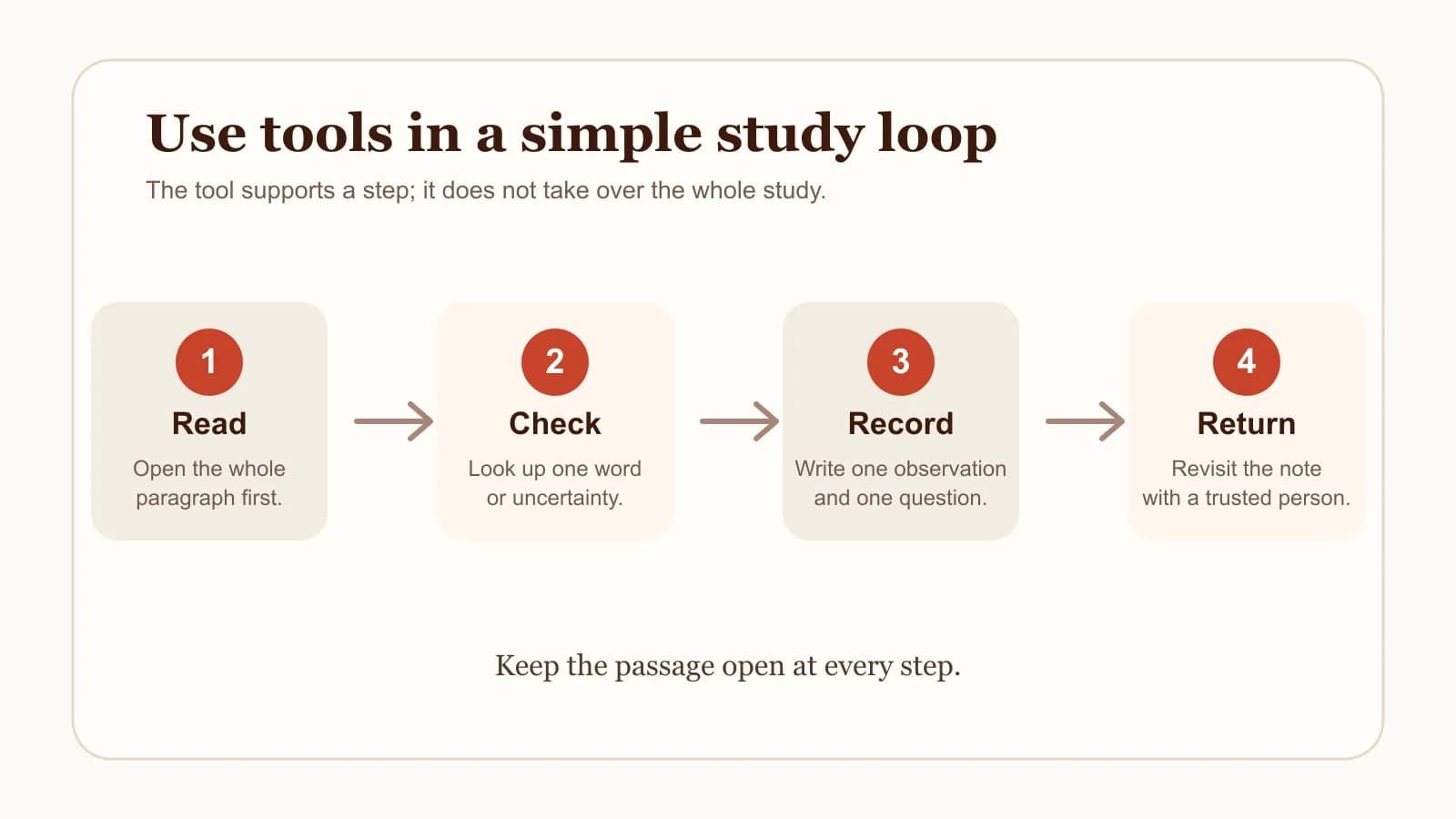
A loop like this usually needs three or four tools: something to read with, one reference or word-study option, a way to find verses and set a pace, and a place for notes. Add another tool only when it serves a recurring task you actually have.
Keep Scripture, sources, and AI in their proper place
Every tool in this guide is an aid. Read the biblical text in context first, then make your own careful observation. Commentaries, lexicons, and study notes are voices to weigh. Search results and AI responses are pointers toward material you then verify.
When a commentary and your reading disagree, return to the paragraph and pursue the question with trusted people. When a search result or AI answer names a verse, open the verse and read what surrounds it. Bring questions about doctrine, decisions, or conflict to trusted teachers and your church community.
Tools that respect this order make study richer. They shorten the distance between you and the text, and they leave the reading in your hands.
Frequently asked questions
What are the best Bible study tools for beginners?
Start with a readable Bible and the habit of reading a whole paragraph before consulting anything else. Add one study Bible for context and one simple way to keep notes. A beginner who repeats that small loop learns more than one who collects reference material.
Do I need Bible study software to study well?
No. Software can keep a passage beside reference material, locate verses, and organize notes, which saves time and effort. The core work — reading in context, observing, questioning, and discussing — asks only for the text and your attention.
How many Bible study tools do I actually need?
Most readers do well with three or four: something to read with, one reference or word-study option, a way to find verses and set a reading pace, and a place for notes. Add another tool only when a real, recurring task calls for it.
When should I use a commentary or Bible dictionary?
After your own reading. Read the paragraph, write your observation and question, and then consult the commentary or dictionary for the specific uncertainty that remains. This sequence keeps the aids answering your questions instead of replacing your reading.
Can I rely on AI tools for Bible study?
Treat AI responses as pointers, the way you would treat a search result. Open every referenced passage, read the surrounding context, and verify what the source actually says. Bring questions that shape belief or decisions to trusted teachers and your church.
Sources
Bible Note Bible Verse Finder, accessed September 2, 2026.
Bible Note Bible Reading Plan Generator, accessed September 2, 2026.
Bible Note sermon notes, accessed September 2, 2026.
Logos Help Center, “Studying a Bible Passage with Logos”, accessed September 2, 2026.
Blue Letter Bible for Android, accessed September 2, 2026.
Editorial status
Written and edited by Hans Keller for Bible Note. Sources, Scripture context, dates, and practical limitations are checked before publication.

About the author
Hans Keller
Editorial & Content Lead
Bible Study & Sermon Learning Content Editor
Hans helps Christians turn sermons and Scripture study into clear notes, thoughtful questions, and faithful next steps.
His work helps listeners and group leaders carry a sermon or study beyond the meeting: back to the passage, into clearer questions, and toward one practical response for the week.
Read with Scripture open
Use this guide alongside the full biblical passage and the practices of your local church. Interpretive details can differ across Christian traditions.
See more Bible Note on Google
Add Bible Note as a preferred source to help find our Bible study guides more easily in Google Search.