
A teen may want to read a passage privately, follow a short video, or bring a question back to youth group. Bible Note is our first pick for a teen who wants to bring a real passage question to Scripture and revisit the answer with a trusted adult. YouVersion is the broader reading choice; BibleProject fits guided visual learning; WONDER is a teen-girl-specific option worth discussing with the teen. None of these editorial picks is an age-safety endorsement. The teen and a trusted adult should inspect the actual account, sharing, privacy, and content settings before use.
How we evaluated these apps
We used Semrush search data and youth-oriented resources to identify the main choices, then checked official app descriptions for the tools listed here. We grouped them by what a teen wants to do: read a passage, follow an explanation, explore a guided topic, or revisit an approved lesson. We also considered age fit, account and sharing choices, and whether a trusted adult can discuss a difficult question with the teen. Store age labels alone cannot settle privacy, teaching fit, or suitability for one young person; review the current settings and access terms together.
Quick picks
Bible Note: passage questions, verse notes and flashcard review with a trusted adult; record youth teaching only with permission.
YouVersion: broad reading and listening; its US iOS 12+ label is not a privacy guarantee.
BibleProject: visual learning with videos, podcasts and classes; discuss the cited passage together.
Bible Gateway: passage lookup and audio; no verified teen-specific controls.
WONDER: teen-girl-focused video and study tools; inspect teaching and account terms together.
Bible App for Kids: interactive stories when a younger teen actually wants that format.
Let the teen's question set the first screen
A fourteen-year-old asking ‘Where do I start?’ and a seventeen-year-old preparing to lead discussion may both search for a teen Bible app, but they should not be forced into the same workflow. Ask the teen to choose one question from a passage or youth-group message. If the next action is to read and return tomorrow, begin with a reader. If the next action is to ask why a line means what a video or leader says it means, Bible Note can help frame that question, but the teen should compare the answer with the whole passage and a trusted adult. If the next action is to understand a book's setting, a guided overview can help before returning to the text. For a speaker's exact words, consider recording only after permission and sharing rules are settled. A short, repeatable route is more useful than an app that offers the most screens.
Age and privacy need separate checks. An App Store age rating describes the store's content classification; it does not promise private notes, safe messaging, or a suitable teaching perspective. Before making an account, look for a guest or local mode, the minimum age in current terms, the data the app asks for, friend or group features, public profiles, and whether a teen can delete material. If any of those facts is unclear, keep the reading activity off the social layer or use a printed Bible while an adult checks. Do not enter a youth-group member's prayer request or personal story into a shared note.
Product reviews
Bible Note
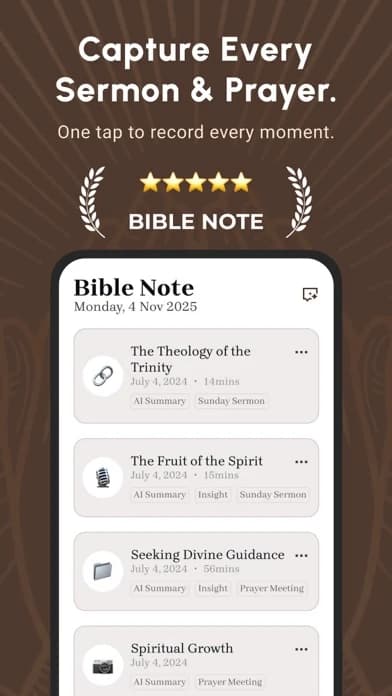
Best for: a teen with a specific Scripture question or a youth-group point to revisit with a parent or leader; approved lesson review is an additional use.
What the evidence supports: Bible Note's first-party Bible Study tools accept a reference or scan of a printed passage and support questions, verse notes and comparison. Its flashcards can turn material from notes or teaching into a later review prompt. Daily devotional material includes Scripture, reflection, prayer and audio. With permission, recorded or imported teaching can be reviewed by timestamp and cited reference. The Bible Study Chat and sermon-notes page describe these study and teaching paths.
A useful teen route: Read the passage first. A teen might ask, “Who is being addressed in this paragraph?” and compare the response with the lines around it. Save the question, then bring any uncertain claim to a parent or youth leader. After an approved lesson, a flashcard can help recall the reference before the next meeting. This makes the app a prompt for conversation, not a private authority over a teen's beliefs.
Strengths: One question can connect reading, a saved note and later recall. A teen who prefers paper can scan a passage instead of moving the whole reading session onto a screen. Authorized teaching notes add context when a youth-group question arose from the speaker's words.
Limitations and conditions: Bible Note is not a youth-safety control or a substitute for an adult's judgment. Confirm age eligibility, current data and account terms, sharing settings and feature access with the teen before sign-in. Do not upload a teen's private disclosure, another member's prayer request or a group recording without the necessary consent. AI study answers and transcripts require checking; cloud features generally require internet. No claim of universal teen suitability follows from a store rating.
Fit verdict: First pick for adult-guided question and review work; choose a dedicated reader or guided video resource when that is all the teen needs.
YouVersion
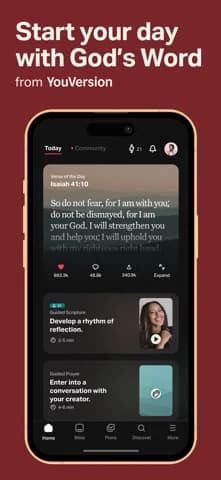
Best for: a broad reading plan, listening, highlights, bookmarks, and notes.
What the evidence supports: The current US iOS Life.Church listing describes audio Bibles, reading plans, notes, highlights, prayer cards, and social features; its store age rating is 12+. A store age label is not a family privacy assessment.
Strengths: YouVersion's reading plans, audio, highlights, bookmarks, and notes give a teen a simple route from one passage to a return visit. The broad tool lets a teen choose a manageable rhythm without requiring a specialized youth curriculum.
Limitations and conditions: The US iOS listing is rated 12+ and requires iOS 18.0 or later; it includes friends and public/private note features. Neither the rating nor “private” copy proves parental controls, moderation, or a teen-safe account. Inspect the live privacy policy and sharing settings with the teen.
Fit verdict: Broad reading choice for a teen who can use it with agreed account and sharing settings; parent and teen should inspect those settings before connecting with others in the app.
BibleProject
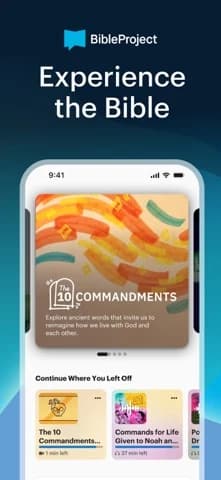
Best for: visual, thematic guided learning.
What the evidence supports: The current US iOS BibleProject listing describes Bible videos, podcasts, classes, and learning resources; it is rated 4+ in that store. The rating does not certify teen theological or privacy suitability.
Strengths: Videos and guided resources in BibleProject can help a teen see a book’s structure before reading it. The useful move is to pause after the explanation and ask the teen to locate the claim in the passage.
Limitations and conditions: Its US iOS listing is rated 4+ and requires iOS 15.5 or later. The rating is not a teen suitability or privacy certification; review the teaching and account settings with the teen.
Fit verdict: Best for a visual learner exploring a theme; verify current app availability, languages, and account requirements first.
Bible Gateway
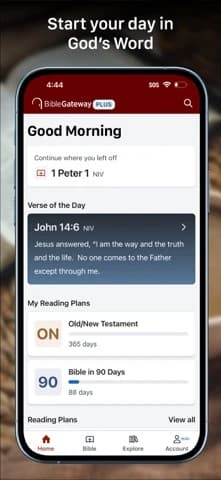
Best for: searching and reading across a broad Bible resource.
What the evidence supports: The current US iOS Bible Gateway listing describes reading, listening, search, notes, and a separate Plus tier for expanded study tools; it is rated 4+ in that store.
Strengths: A general Bible resource helps when a teen has a passage from youth group and needs to find it quickly or compare a familiar translation. It is a lookup companion, not a youth-safety system.
Limitations and conditions: Bible Gateway’s listing describes search and notes, but no teen-specific sharing controls. Check account and note visibility before a young person saves or discusses private questions there.
Fit verdict: Choose Bible Gateway for passage access; look elsewhere for guided formation, age guidance, and group controls.
WONDER: a teen-girl-specific guided option
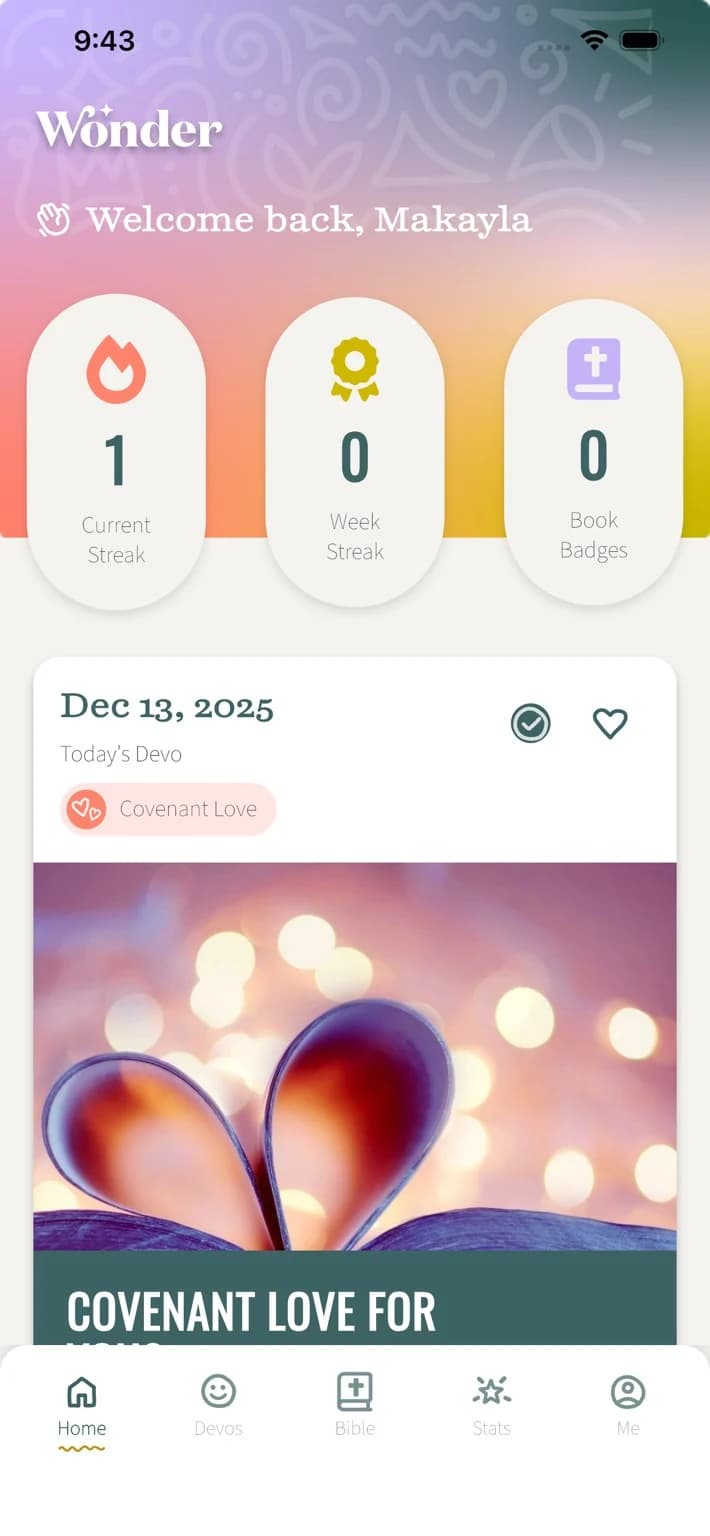
Best for: a teen girl who actively wants short daily videos and guided study alongside a built-in Bible text.
What the evidence supports: The October 4 US iOS publisher listing from Revive Our Hearts Ministries describes daily videos, interactive study tools, habit features, and Christian Standard Bible reading. Its description calls the experience a ‘safe, positive space’; that is publisher wording, not an independently verified safety finding.
Strengths: Unlike a generic reader, WONDER explicitly addresses teen-girl topics such as identity and friendship. That can make a guided opening more approachable for a teen who wants this teaching voice. The next move is to read the cited passage in context and ask what the video drew from it.
Limitations and conditions: We have no verified screenshot rights or current independent review of its account controls, data practices, Android parity, or theological suitability. Its intended audience is specific; do not assume every girl wants a gender-targeted program or that boys lack suitable guided options.
Fit verdict: A promising focused option when the teen welcomes that framing and a trusted adult reviews the actual teaching and settings; not the universal teen pick.
Bible App for Kids

Best for: a younger teen or family introduction with adult guidance.
What the evidence supports: The current US iOS Life.Church listing describes interactive Bible stories, animations, activities, and kid-oriented navigation. It is explicitly a children’s product.
Strengths: A children-oriented resource may work for a younger teen or a family session where an adult is present. Its age framing can make first contact approachable while also making it unsuitable for many older teens.
Limitations and conditions: Age fit, account controls, privacy, and theology should be reviewed with a parent or youth leader; it may be too young for many teens.
Fit verdict: Possible family option for a younger teen who likes interactive stories; many older teens will need a more mature reading or study tool.
Match the choice to the teen, then check the boundaries
A teen who wants quiet reading after school can start with a passage, then use Bible Note for a question and saved note if that helps the reading continue. YouVersion with social features left unused offers a broader reading plan, while Bible Gateway suits a simple lookup. A teen who learns through short explanations may prefer BibleProject. WONDER is worth assessing for a teen girl who actually wants its topic-led teaching voice. A child-oriented story app may still suit a younger teen who enjoys that format, but age alone cannot decide tone. Ask the teen what they would return to voluntarily after the first screen, and respect the answer.
A youth leader has another decision. Bible Note's question and note path can serve a youth group without recording anyone. An approved lesson recording can additionally help revisit a reference. Yet group recording, shared notes, and prayer requests involve other people. Obtain the speaker's and participants' permission under local church rules, avoid sensitive disclosures, and check any generated summary against the passage and recording. If those conditions cannot be met, let the teen write the passage reference and a question in a private notebook. The companion recommendation reverses immediately when consent or privacy is uncertain.
For a teen without a personal account or phone, a printed Bible and a leader's question may work better than requiring an installation. For a teen whose device cannot run the current iOS version, check another supported platform or use a browser or print resource after verifying access. Device compatibility is a practical limit, not a measure of interest in Scripture.
A short decision conversation
Ask three questions together before anyone signs in. First, which passage or topic is the teen trying to understand? Second, does the app require an account, social connection, or public sharing for the intended task? Third, who can see what the teen writes or saves? Open the current provider policy and settings together; a store rating is not an answer. Agree that the teen can bring a difficult or upsetting question to a trusted person without needing to post it to an app community. If a teaching resource gives a confident answer, return to the surrounding passage and ask how it reached that answer.
Is a 4+ or 12+ store rating enough to choose an app?
No. A store age label describes a platform's content category; it does not decide whether an app's teaching, sharing options, contacts, or data practices suit a particular teen. A younger reader opening a passage alone and an older teen joining a group discussion need different boundaries.
Review the intended activity with the teen and a parent or trusted leader:
Sharing: in YouVersion, discuss whether social features will be used and who might see shared activity.
Teaching: with BibleProject, read a sample explanation beside the passage and ask how it reaches its conclusion.
Audience fit: with WONDER, ask whether its teen-girl-focused approach is welcome to this teen.
Then look at the current account and privacy settings before saving personal writing. The teen's comfort with the format and the plan for discussing hard questions matter more than the number on the store page.
Should an older teen use the Bible App for Kids?
Only if its interactive-story style still helps that teen engage with Scripture. The publisher presents it as a children's product, and an older teen may find its tone too young even when the story is familiar. Age alone is not a reason to keep or reject it; ask what the teen wants to do after the story ends.
If the teen wants to follow a full passage or bring a question to youth group, open that passage in a Bible reader alongside the story and let the teen compare what was selected or simplified. If the story app feels limiting, move to a reader or a guided resource such as BibleProject. The next tool should answer the teen's actual question, not merely look more grown-up.
What can a youth group safely save?
Keep shared notes small and purposeful: a passage reference, a speaker-approved main point, and a question the group can revisit. Those notes can support a later discussion without preserving the details of who disclosed what during the meeting.
Treat personal prayer requests, names attached to sensitive stories, and recordings as a different category. Do not put them into a shared or AI-processed note unless the people involved knowingly consent and church rules allow it. Even then, save only what is needed for the agreed purpose. A leader who cannot obtain that permission can write the passage and an anonymous study question in a private notebook. The group can continue learning without turning a confidential conversation into an archive.
Summary: Let the teen’s question lead
Start with Bible Note when the teen has a passage question to explore and revisit with a trusted adult; Bible Study Chat shows that route. Keep the text, privacy settings and adult conversation in view. YouVersion, BibleProject or another focused tool can be the better fit for broad reading, video learning or a simpler lookup. No app replaces permission and care around youth-group disclosures.
Editorial status
Written and edited by Hans Keller for Bible Note. Sources, Scripture context, dates, and practical limitations are checked before publication.

About the author
Hans Keller
Editorial & Content Lead
Bible Study & Sermon Learning Content Editor
Hans helps Christians turn sermons and Scripture study into clear notes, thoughtful questions, and faithful next steps.
His work helps listeners and group leaders carry a sermon or study beyond the meeting: back to the passage, into clearer questions, and toward one practical response for the week.
Read with Scripture open
Use this guide alongside the full biblical passage and the practices of your local church. Interpretive details can differ across Christian traditions.
See more Bible Note on Google
Add Bible Note as a preferred source to help find our Bible study guides more easily in Google Search.