Someone who wants to draw beside Scripture needs a different app from someone who wants searchable reflections after a sermon. Bible Note is our first pick when a journal entry begins with a passage question, a verse note, or teaching you are allowed to revisit. Pencil Bible is the dedicated Apple Pencil margin choice; Digible offers an iPad-centered creative journal and a listed PDF export. YouVersion suits shorter notes within a reading plan. Choose the surface that matches the entry you actually make.
Before comparing stores or features, make one entry on paper: a reference, one observation about the paragraph, and one question. Decide whether you want that entry in a Bible margin, a dated journal, or alongside a recorded teaching moment. The question keeps the choice grounded in your practice.
Which sort of journal are you keeping?
Margin annotation keeps a mark beside the Bible text; handwriting and drawing space matter. Written reflection needs room for a thought, a prayer, or a question and an easy way to find it later. Study notes may connect a passage to a reference work or class discussion. Sermon notes may need a timestamp and permission to retain the recording. Some apps cover more than one, but their strongest path is different. The companion article on Bible journaling teaches the practice; here the question is where your entries will live and whether you can retrieve them.
The device changes the answer. An iPad with Apple Pencil can support a page-like margin; an Android phone cannot use an iPad-only drawing workspace. A small phone may favor a short typed note over elaborate art. Check the current device requirement before you adopt a workflow you cannot use in your ordinary week.
How we evaluated these Bible journaling apps
We considered reader interest shown in Semrush data and compared official information for the journaling tools listed here. The choice turns on where an entry begins—beside a verse, on a drawn page, in a private reflection, or in permitted teaching—and whether you can find and keep it later. We weighed writing method, passage links, device fit, and the stated archive or export options. Before trusting an app with a long-running journal, try a harmless sample entry and confirm its privacy, backup, and export behavior in your own account.
A free download can still limit how many pages you annotate or which journal features you can use. Check the current tier before moving an existing journal.
Quick picks by entry type
Bible Note: passage questions, verse notes, highlights and review from permitted teaching; begin with the text and keep your own reflection distinct from generated material.
Pencil Bible: draw and annotate beside Scripture on a compatible Apple device; verify annotation and translation limits.
Digible: iPad journal with separate note spaces and a listed PDF export; check preview and Pro limits.
Spirit Notes: typed Bible and church notes with reference auto-complete; verify archive details.
YouVersion Bible App: short notes within a reading habit.
Olive Tree Bible App: study notes near selected reference resources.
Bible Note: return to a passage and your own question
Best for: a reader who wants a passage question, personal verse note or reflection to remain connected to Scripture, with optional review of permitted sermons or classes.
What the current evidence supports: Bible Note's current first-party study path lets a reader enter a reference or scan a printed passage, ask about its context, and keep verse notes, highlights and version comparisons. Its daily devotional offers Scripture, reflection, prayer and audio. Authorized teaching can also produce timestamped notes, recognized Scripture references and flashcards. These are distinct from a free-form drawing canvas or a proven archival export.
A journaling route: Read the paragraph in your chosen edition. Use Bible Study Chat for one question you cannot yet answer from context; write your own observation separately from the generated explanation. After an authorized class, a timestamp in sermon notes can point you back to the moment that raised a question. A flashcard or note-based devotional can prompt a return later in the week. Keep the passage as the source against which each suggestion is checked.
Strengths: This combines a question, an editable personal response and a way back to the passage or approved teaching. It helps a reader whose journal is a trail of inquiry and reflection, not only a collection of decorated pages. The daily devotional can provide another starting prompt without turning a generated prayer into a claim about God's private message to the reader.
Limitations and who should skip it: It is not an Apple Pencil art canvas, and current evidence does not establish a durable export format, fully offline archive or universal translation access. Before moving a long journal, test retrieval and export with harmless content. Do not import another person's private words without consent; check generated notes against Scripture and the source. Choose Pencil Bible or Digible when drawing is the central task.
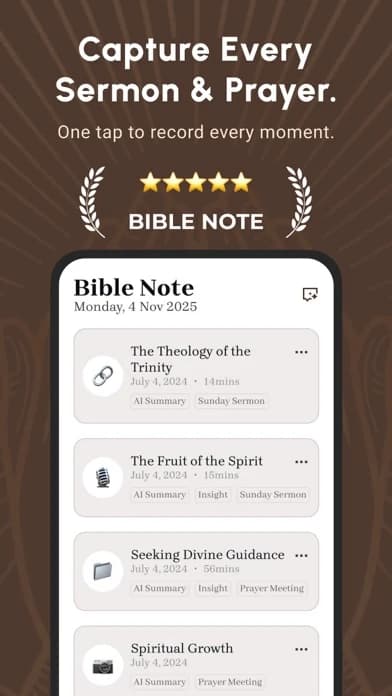
Fit verdict: First pick for passage-linked inquiry and permitted teaching reflection; choose a drawing or proven export tool when those are the deciding requirements.
Pencil Bible: write on the Bible page
Best for: an Apple Pencil user who wants handwritten marks in Scripture margins.
What the current evidence supports: Its US Apple listing describes drawing, highlighting, text boxes, and annotations on iPad and iPhone. Apple Pencil features require a compatible iPad. The listing says readers can annotate up to ten pages without upgrading; premium translations and unlimited journaling have separate access conditions.
Strengths: The passage stays visually near the mark. That can help a reader distinguish a line in the text from a later journal response.
Limitations and who should skip it: Test the ten-page boundary and the translation you actually read before moving an existing journal. An iPhone can capture annotations but does not become an Apple Pencil canvas. Skip it if you mainly want long searchable entries or use Android.
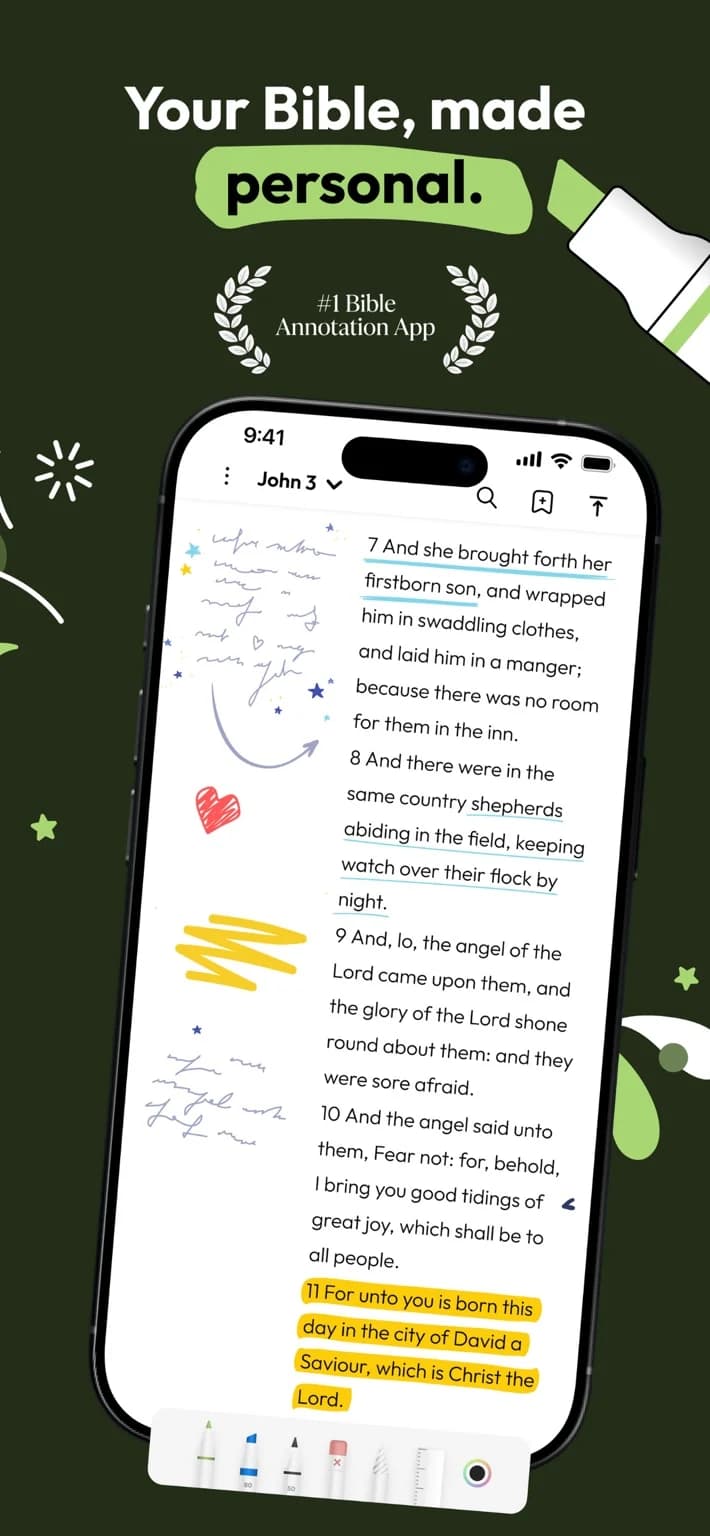
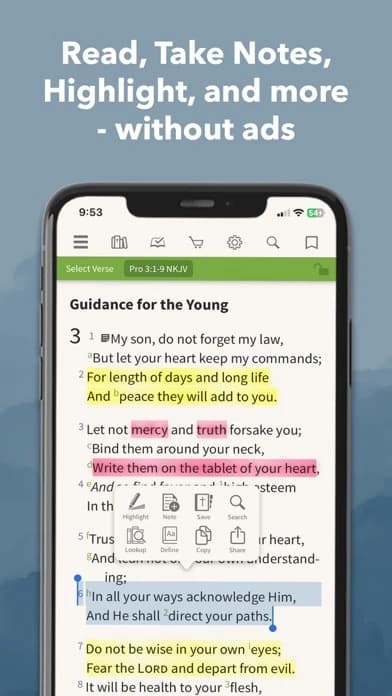
The captured iPhone listing image shows annotations beside Scripture. Apple Pencil features still require the compatible iPad described in the listing.
Digible: creative journal with separate note spaces
Best for: an iPad reader who wants margin art alongside folders for sermon, prayer, and study notes.
What the current evidence supports: Its US Apple listing describes Apple Pencil drawing on iPad, note folders, a side-by-side Bible and notebook, PDF study-material annotation, and PDF export of notes and journal pages. It says iPhone supports reading, highlights, and typed notes; handwriting and the canvas workspace belong to iPad. The listing presents a limited preview and Pro access for continued use.
Strengths: Separate entry types can prevent a prayer journal, a verse observation, and sermon notes from becoming one difficult-to-search stream. The listed PDF path offers something concrete to test before relying on the app as an archive.
Limitations and who should skip it: A PDF may preserve a page image without creating editable, searchable notes. Verify an actual export, account sync, and current entitlement before committing years of entries. Skip it if its iPad focus or access tier does not match your device.
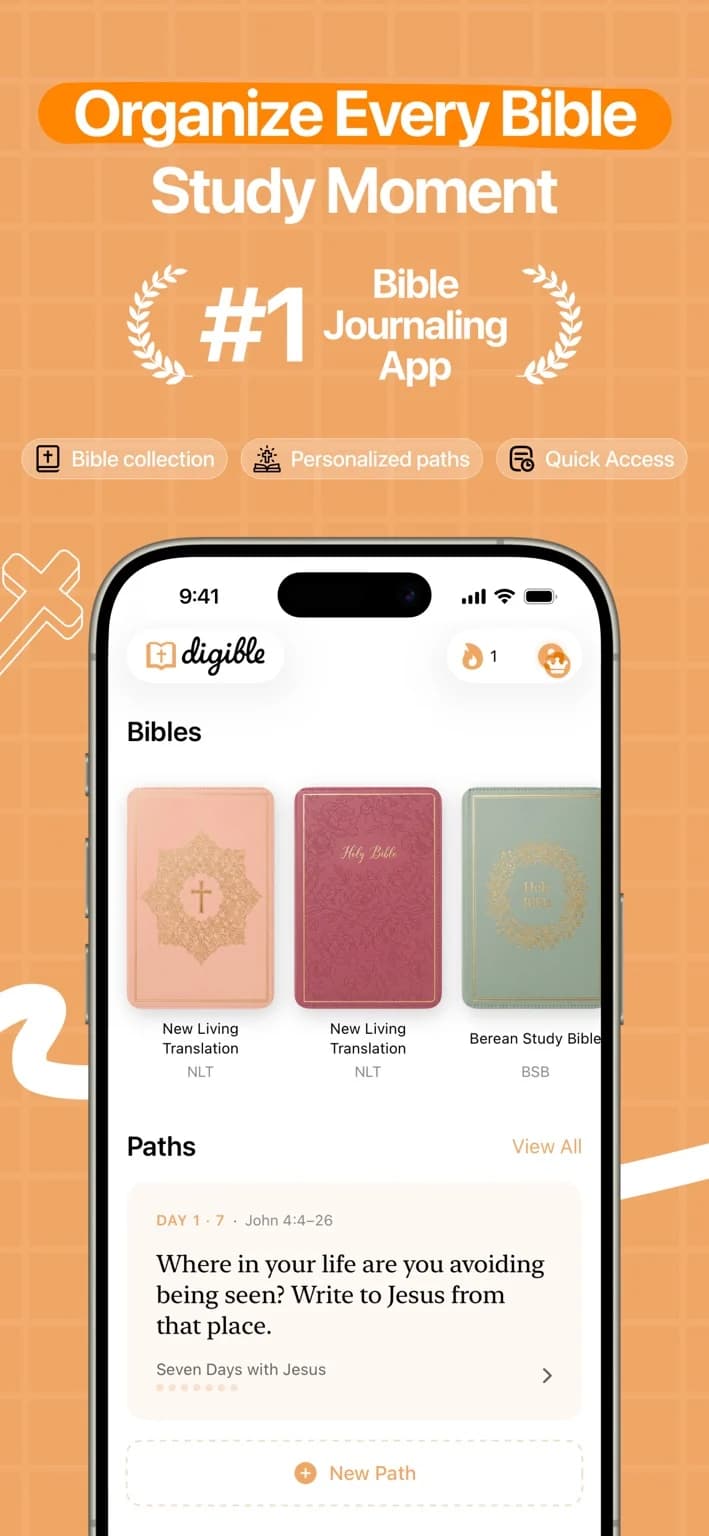
The captured iPhone listing image shows the collection and Paths area; it does not demonstrate an exported PDF or iPad canvas.
Spirit Notes: reference-aware typed notes
Best for: a reader whose journal is mostly written Bible-study or church notes.
What the current evidence supports: Its official product page describes scripture-reference auto-complete, no-Wi-Fi use for that feature, and an iPad layout; it also presents recording and note organization. Those are publisher claims, and the exact translation, rights, export, and current account conditions need a device-level check.
Strengths: A reference in a note can save a separate copy-and-paste step and leave the citation visible while the reader writes an observation.
Limitations and who should skip it: Auto-filled verse text does not settle translation rights for sharing, and a reference inserted quickly still needs context. Verify whether notes can leave the app in a format you can use. Skip it if your central need is Apple Pencil page drawing.
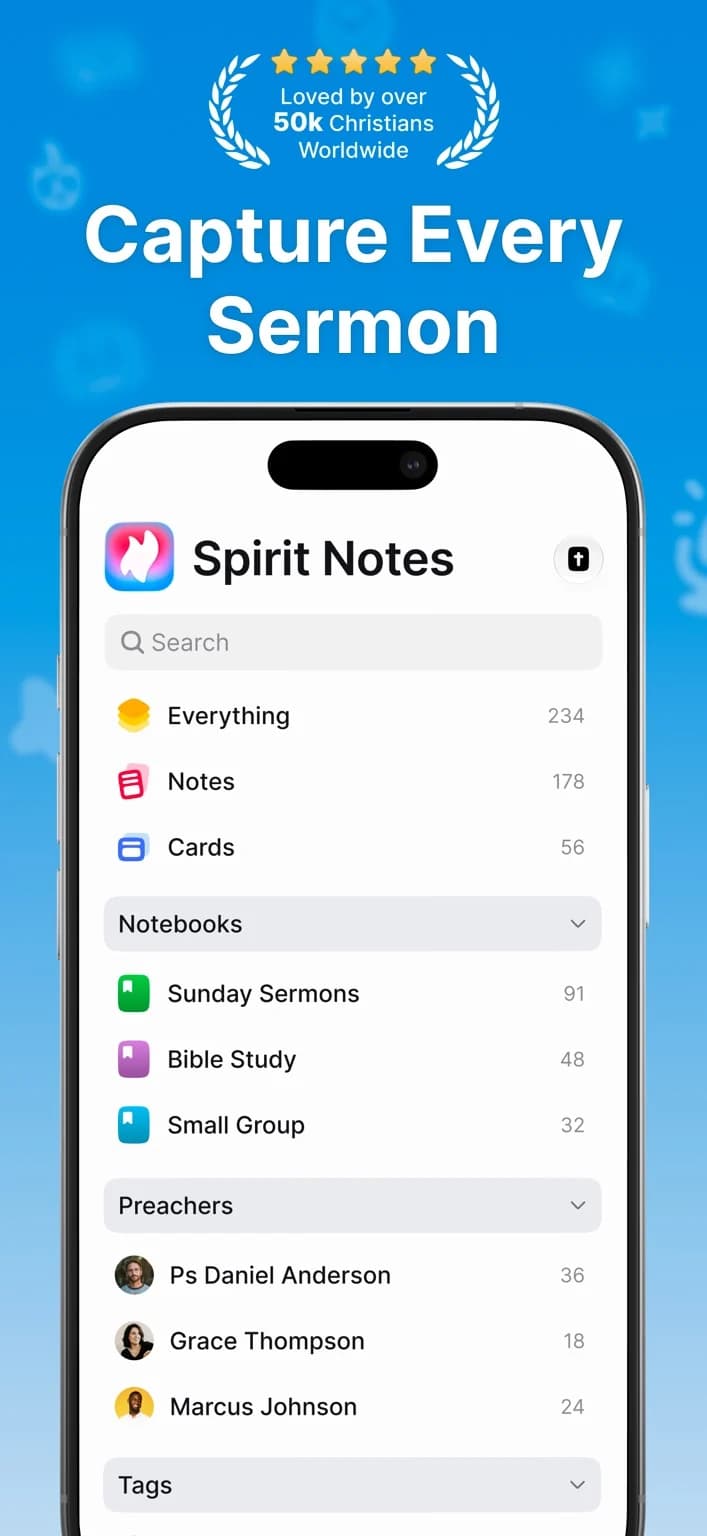
The captured iPhone listing image shows notebook organization; it does not demonstrate the claimed reference auto-complete.
YouVersion Bible App: brief notes with a reading plan
Best for: short reflections attached to daily Bible reading.
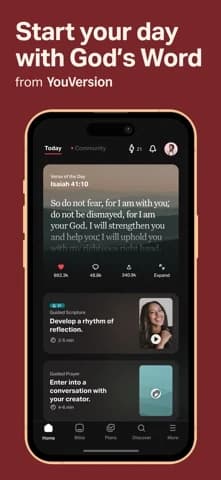
What the current evidence supports: Its captured US iOS listing describes notes, highlights, bookmarks, reading plans, prayer lists, and selected offline text.
Strengths: If the passage is already open in your YouVersion reading plan, adding a short question has little setup cost. The surrounding chapter stays easy to revisit.
Limitations and who should skip it: The captured listing does not establish a long-form journal or usable export for your archive. Check note privacy and sync before saving sensitive content. Choose a dedicated journaling tool if page layout, drawing, or durable export is essential.
Olive Tree Bible App: notes near study resources
Best for: a reader whose journal often cites a commentary or other resource already in an Olive Tree library.
What the current evidence supports: Official material describes Bible reading, study titles, and note features.
Strengths: Your own observation can sit near a chosen reference work, making it easier to revisit why a question arose.
Limitations and who should skip it: Check the present notebook, sync, export, and resource entitlement before using it as your only journal. A study library may be unnecessary if your entries are mostly personal reflections.
Put three entries in their right places
For a passage observation, write the reference, the paragraph's main movement in your own words, and one question. Bible Note can hold a question and verse note linked to that observation; a reader who thinks in pen marks may prefer Pencil Bible's margin, while a reading-plan note may fit YouVersion. Reopen the same paragraph later before adding an application.
For a commentary question, name the source that raised it and keep your observation separate from the commentator's interpretation. A study library can hold that note near the resource. Do not copy pages of a copyrighted commentary into a shareable journal.
For a sermon question, record the cited reference, the authorized teaching timestamp, and the sentence you want to verify. Bible Note suits that return path as one part of a broader passage-note journal. The transcript is a source to check, not an authority over the passage. If a group member shared a private story, keep it out of a shared note unless they agreed to its use.
Test the archive before it becomes your only copy
Make one harmless sample entry, then find it by reference or date a week later. Check whether the app syncs across your actual devices, how an account is recovered, what happens when you export, and whether an exported file remains readable without the app. Test with a sample, not a private prayer or another person's story. Keep local copies where appropriate and follow the translation's terms before sharing substantial Bible text. A PDF export claim is useful only if the file preserves the parts of the entry you need.
This archive test can reverse the first pick. An iPad artist may begin with Pencil Bible and move to Digible if separate folders and a verified PDF archive matter more than its margin feel. An Android reader should rule out an Apple-only candidate regardless of how attractive its drawings look. A group leader with permitted sermon audio may choose Bible Note for traceable teaching notes, then use a different app for art or a private journal.
Can I use a normal notes app instead?
Yes. A normal notes app can be a good journal if you can keep a passage reference, date, and your own observation together, then retrieve and back up the entry. For someone writing a few sentences after reading, that may be simpler than learning a dedicated drawing or study interface.
A dedicated Bible journaling app earns its place when a specific input method changes the work: writing beside the verse, linking the entry to a passage, or returning to an authorized teaching moment. Make one ordinary sample entry in the tool you already use. If you can find the reference and read your thought later without losing context, you may not need another app. Keep private reflections in a space whose sharing settings you understand.
Do I need to save the whole verse in every entry?
Usually a reference and your own observation are enough. Saving the reference keeps the entry tied to the passage while leaving room to reread the whole paragraph in its context. Copying only an isolated sentence can make a later reflection sound more certain than the surrounding text allows.
For example, an entry can record the book and passage, what you noticed about its speaker or setting, and the question you want to revisit. When you return, open the passage in the translation you are using before drawing a conclusion. If you copy substantial text into an entry you will share, check that translation's current terms; a private reference is often the simpler path.
What should stay private?
Keep identifiable prayer requests, pastoral conversations, other people's stories, and recordings out of a shareable journal unless the people involved have agreed to that use. A note that feels personal on your phone may later appear in a synced account, export, screenshot, or group folder. Creating an entry does not tell you who can read it.
Before saving something sensitive, make two distinctions:
Whose words are these? Your own passage question can usually stand without naming the person who prompted it. Write “How does this passage shape our response to grief?” instead of copying a group member's story.
Where could the entry go? Look at the app's current sync, export, and sharing controls before relying on it as a private archive. If you cannot tell where the entry will go, use a private notebook or leave the disclosure unwritten.
Even when consent has been given, keep only the details needed for the agreed purpose. The passage and your question can often remain useful after the identifying story is removed.
Summary: Choose the journal you can return to
Begin with Bible Note when your journal keeps a passage question, a verse note and a reason to return; explore Bible Study Chat for that route. It can also keep authorized teaching and cited passages together. Pencil Bible or Digible may better serve drawing, and a proven export may decide where a long private archive belongs. Test each reflection against the passage itself.
Editorial status
Written and edited by Hans Keller for Bible Note. Sources, Scripture context, dates, and practical limitations are checked before publication.

About the author
Hans Keller
Editorial & Content Lead
Bible Study & Sermon Learning Content Editor
Hans helps Christians turn sermons and Scripture study into clear notes, thoughtful questions, and faithful next steps.
His work helps listeners and group leaders carry a sermon or study beyond the meeting: back to the passage, into clearer questions, and toward one practical response for the week.
Read with Scripture open
Use this guide alongside the full biblical passage and the practices of your local church. Interpretive details can differ across Christian traditions.
See more Bible Note on Google
Add Bible Note as a preferred source to help find our Bible study guides more easily in Google Search.